System: name display settings
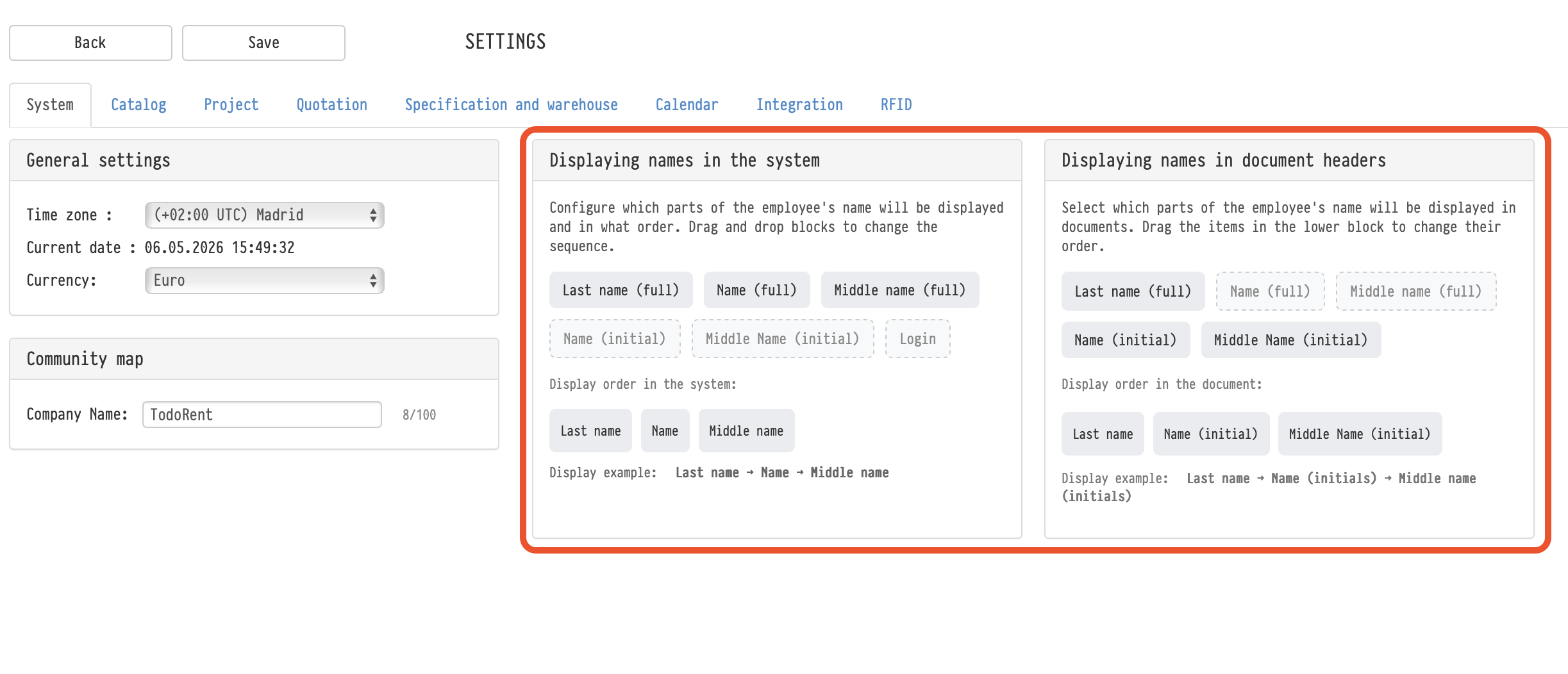
The setting is under the gear "Settings" → "System" → "Common". Here you choose which parts make up an employee's name and in what order.
This is useful if your company addresses people by last name and initials, if employees from different countries have no middle name, or if long full names do not fit in the interface.
Two independent blocks
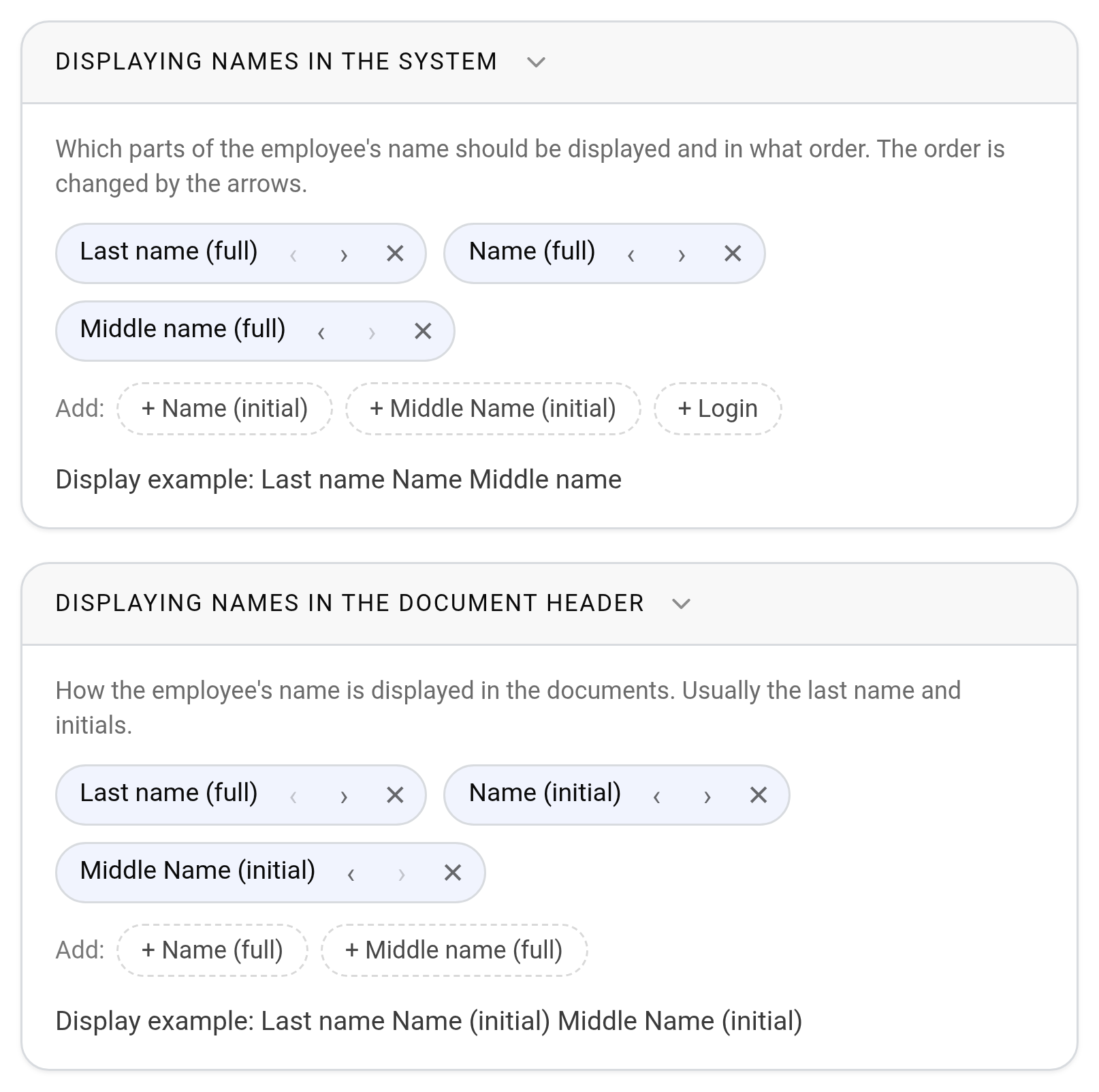
"Displaying names in the system": how the name is shown in the interface: in projects, tables, the warehouse, comments, Messenger, employee cards.
"Displaying names in the document header": how the name is shown in documents generated by the system: the quotation, registers, access passes and other documents from the "Print" tab. This setting does not affect your own Word document templates.
You set the blocks separately: for example, "Last name Name" in the interface and "Last name N. M." in documents.
How to set it up
The selected name parts are shown as tiles in the order they are displayed. Each tile has:
"‹" and "›" to move the part left or right;
"✕" to remove the part.
Below, the "Add:" row lists the parts that are not selected yet. Click the one you need, and it goes to the end. The "Display example" row under the block shows how the name will look.
The available name parts:
"Last name (full)";
"Name (full)";
"Middle name (full)";
"Name (initial)";
"Middle Name (initial)";
"Login": only for display in the system; the login is not shown in documents.
There is no separate save button: changes are saved at once and apply to all employees of the company.
Rules
The system does not let you build a name that cannot be read, and shows a warning:
at least one name part is required;
you can choose up to four parts for the system;
the middle name and initials cannot be chosen on their own: first add the last name, the name or the login (in documents: the last name or the name);
you cannot choose the full name and the name initial at the same time, or the full middle name and the middle name initial;
you cannot remove the main part last while the middle name or initials are selected: remove them first.
By default, the system shows names as "Last name Name Middle name", and documents as "Last name N. M." (last name and initials).