Price List
In the "Price List" section of the catalog you generate a price list: a list of equipment and services with prices that you can send to a client. The same section works as a stock report: it shows how many units of each entry are in the warehouse in the state you need, and how many of them are free for the selected dates.
Where to find
Open the catalog and click "Price List" in the top menu of the catalog. The "Generating a price list" page opens with the "Basic parameters" block.
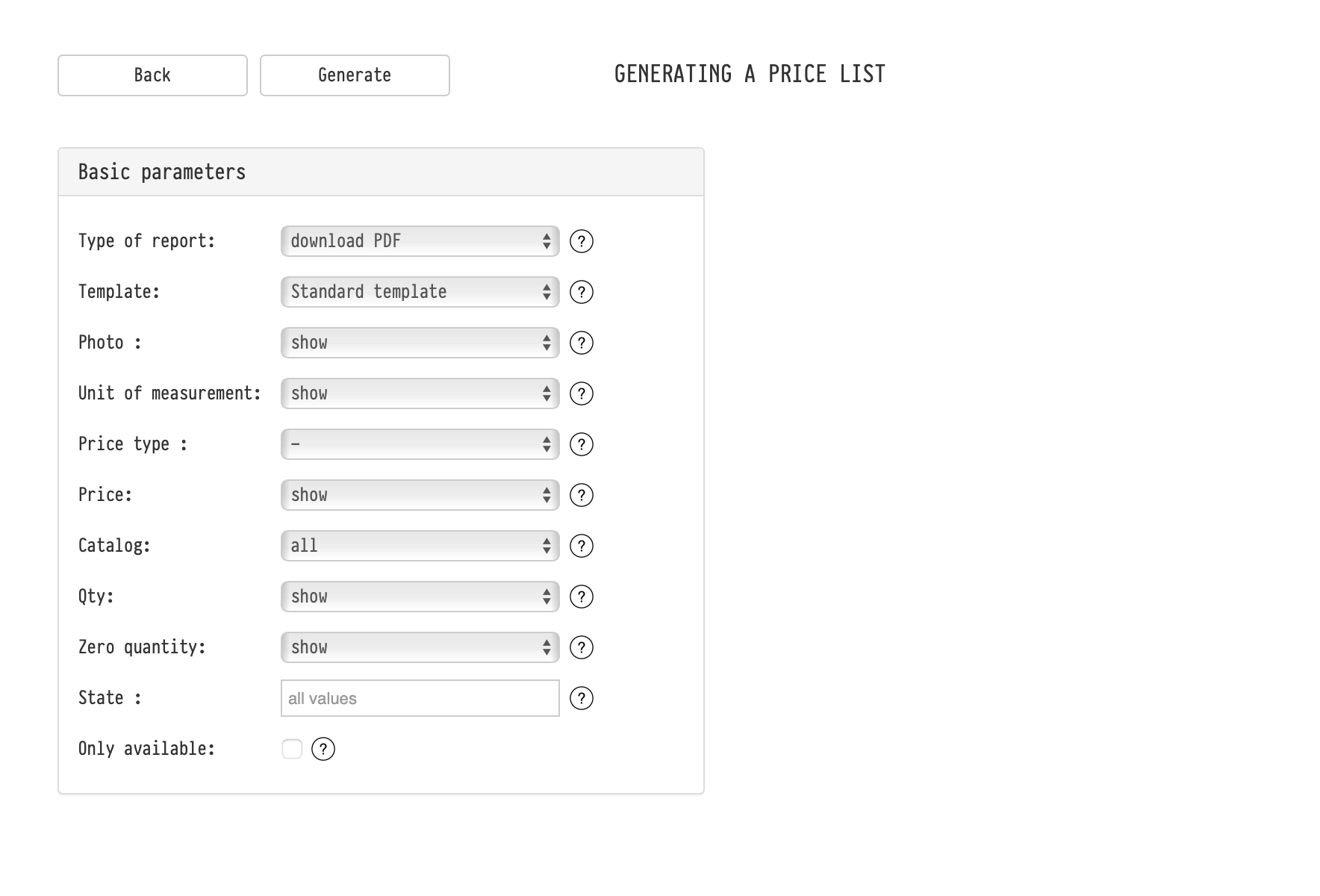
Basic parameters
"Type of report": "download PDF", "download XLS" or "show on the screen". On the screen, the table appears to the right of the parameters: a quick way to check the stock without downloading anything;
"Template": the quotation template used for the PDF;
"Photo", "Unit of measurement", "Price": "show" or "hide" the column;
"Price type": which price type to show. If you choose "-", the price list contains the standard rental price. About price types: Price types;
"Catalog": "all" or "selectively". With "selectively", the catalog tree with search opens on the right: select the sections and entries you need in the price list;
"Qty": show or hide the column with the quantity in the warehouse;
"Zero quantity": whether to show rows where the quantity is zero.
Stock report
To get the stock, turn on the "Qty" column and set the two fields below.
"State": which units to count. You can choose one or several: "working", "requires diagnostics", "repair", "not working", "lost". If nothing is selected ("all values"), all units in the warehouse are counted. For example, choose "working" and "requires diagnostics" to see how much equipment you can use, or "repair" to see how much is under repair now.
"Only available": if you select this checkbox, the "Date/Time" field appears with the period "before". Then the "Qty" column shows not the whole quantity but what is free for this period: the quantity booked in projects for these dates is subtracted from the quantity in the warehouse. If you set "Zero quantity" to "hide", entries with nothing left for these dates are not included in the report.
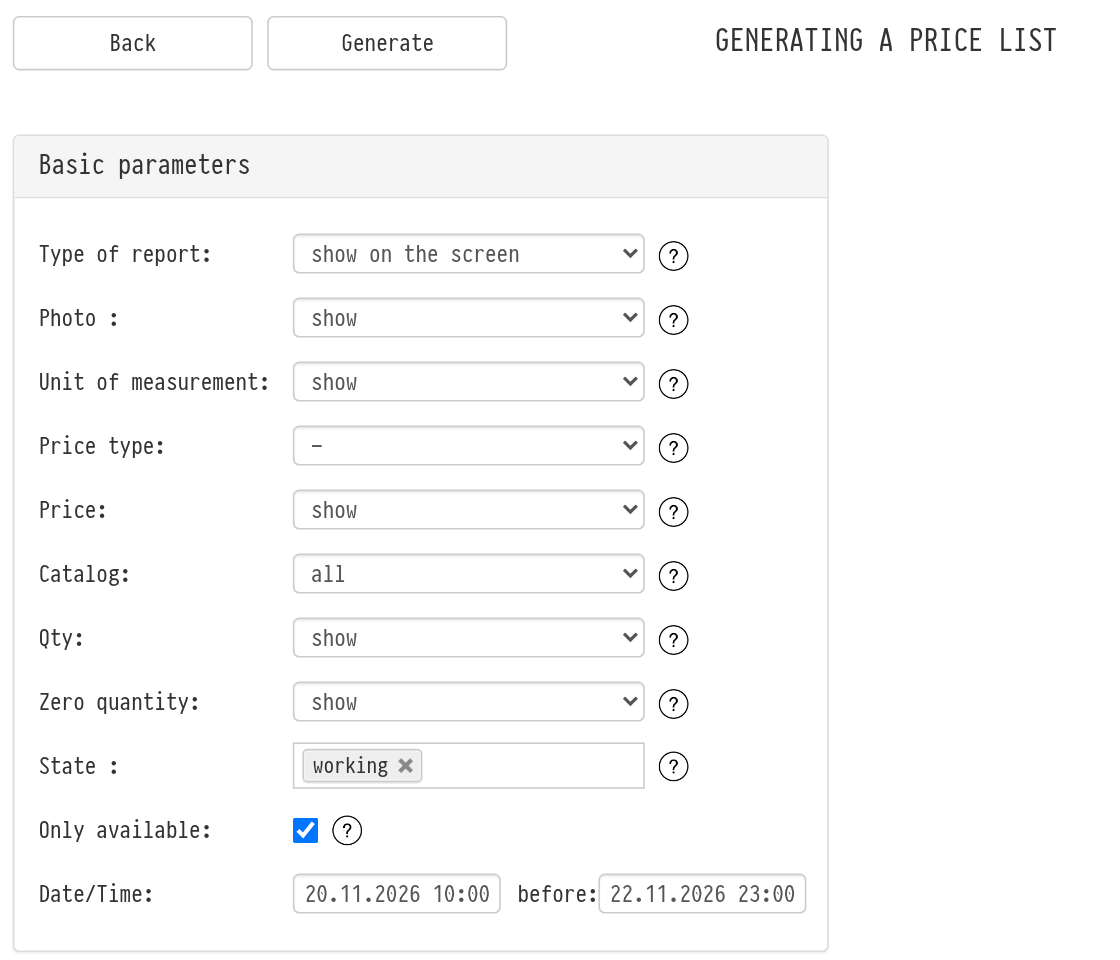
Click "Generate".
Please note. The quantity is counted only for equipment, accessories and consumables. For services, kits and sets the "Qty" column is empty.
How it is used
send a client a list of equipment with prices;
send a client a list of what is free for the dates of their event;
check the warehouse stock by state, for example before an inventory audit.