System
The «Common» sub-tab opens first on the «System» tab of global settings (gear icon «Settings» → «System» → «Common»). Here you set the company time zone and currency, how employee names are displayed, and the «What's new» feed. Changes are saved at once; there is no «Save» button.
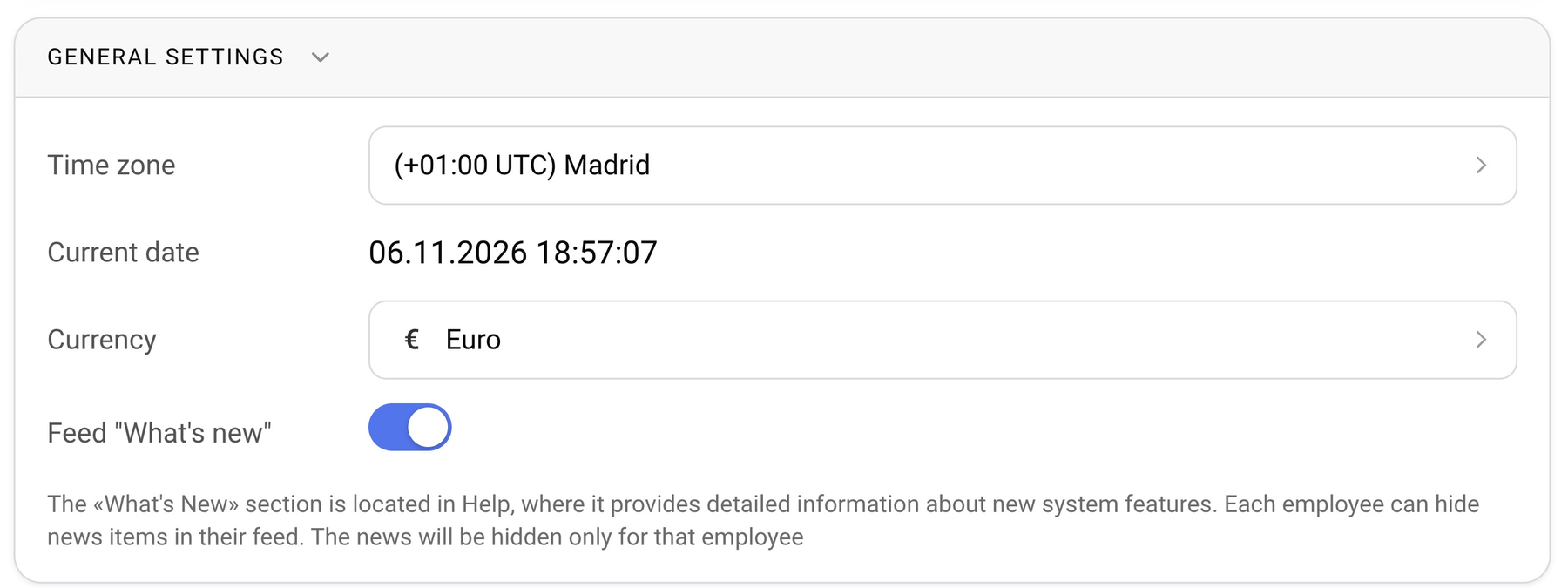
Time zone
Click the «Time zone» field. The list is grouped by region (Europe, Asia, America, Africa and so on). Within a group, zones are sorted by their UTC offset, and the label looks like «(+01:00 UTC) Madrid». Use the search to find a city quickly.
«Current date» shows the date and time in the selected zone. The system uses this time for deadlines, reminders and overdue invoices.
Currency
The «Currency» field sets the base currency of the company; the list has a search. Quotations and estimates are printed in this currency. If an estimate has to be shown in another currency, it is converted at the rate to the base currency: the «Rate» item in the «Print» section of a project is the rate of the project currency to the base currency of the company.
Name display
The blocks «Displaying names in the system» and «Displaying names in the document header» set which parts of an employee's name are shown and in what order: last name, first name and middle name in full or as initials, and the login (in the system only). Change the order with the arrows, remove a part with the cross, add one with «+». An example is shown below. More in «System: name display settings».
«What's new» feed
The «What's new» toggle turns on news about new features. The feed itself is in Help. Each employee can hide a news item for themselves; others will still see it.