Consumables at the venue
Consumables behave differently from equipment in the warehouse: part of them goes to the project and is used up there, and part comes back. The project warehouse screen has separate actions for them: return what is left, take it to another project, or mark a loss.
Where to find it
Open the project warehouse: menu "Warehouse" → "Projects" → the project card (or the "New warehouse" button on the "Warehouse" tab of the project). The actions are available when work mode is on: the "▶" button on the panel above the status columns.
Consumables in a status with the location "Venue" are marked with the "Spent at the Venue" icon. While a consumable is at the venue, the system considers it used up on the project. If something is left over, return it to the warehouse with one of the actions below.
Actions with one consumable
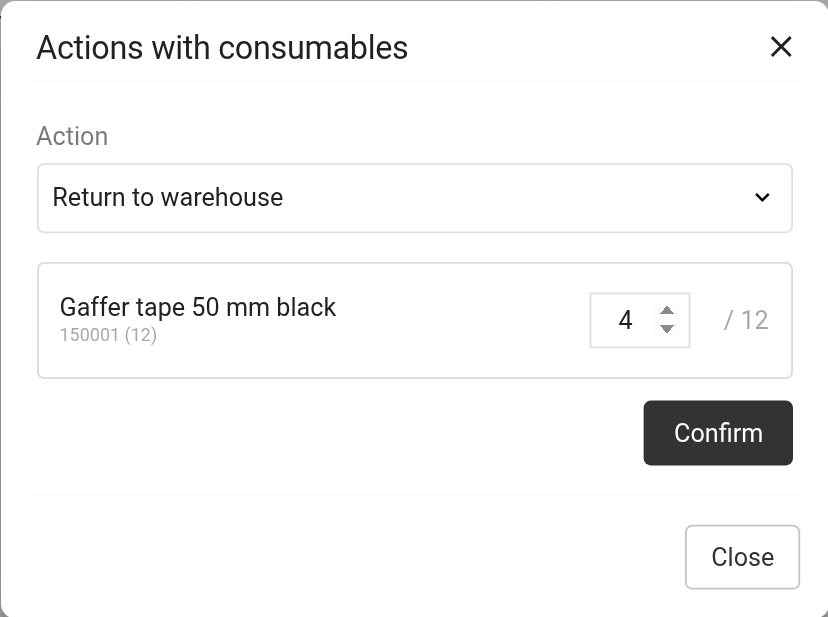
Click the "Spent at the Venue" icon next to the entry. The "Actions with consumables" window opens. Choose the "Action", enter the quantity (not more than is at the venue) and click "Confirm".
"Return to warehouse": the quantity moves to the next status, that is, it is received back into the warehouse;
"Return to the previous status": moves the quantity to the previous status, if it was shipped by mistake;
"Move to another project": takes the rest straight to another project, without going through the warehouse (see below);
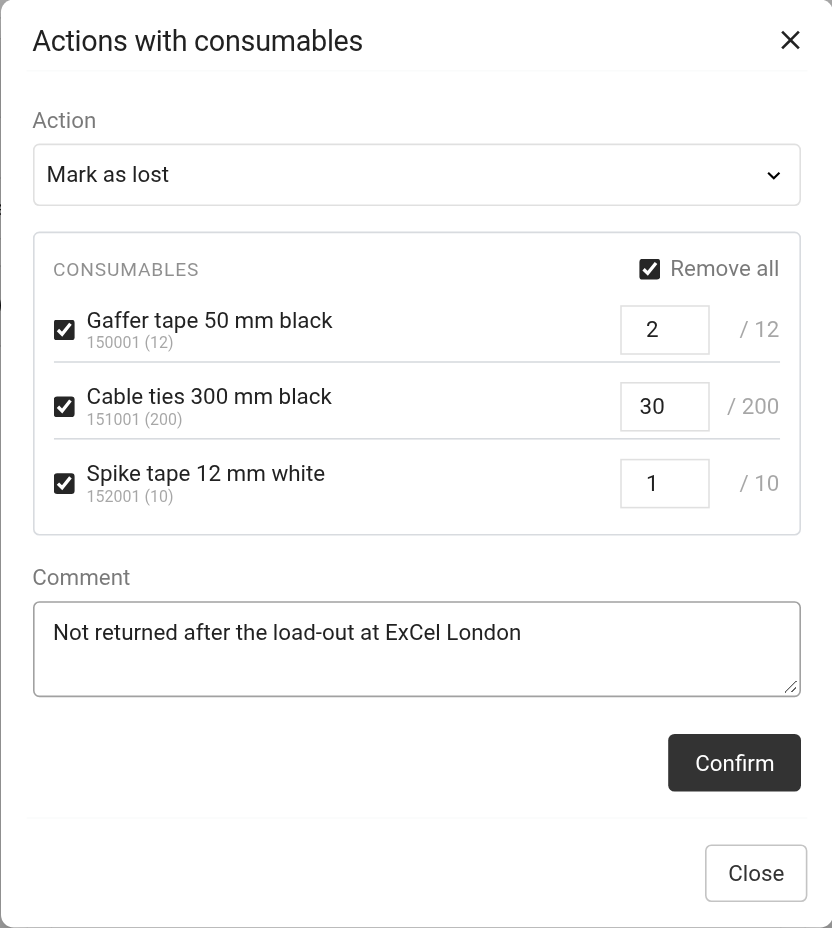
"Mark as lost": the quantity is marked as lost.
For all actions except "Return to warehouse" you can add a "Comment".
Bulk processing
If there are many consumables at the venue, process them in one go. In the header of a status column with the location "Venue", click the "Bulk processing of consumables" icon. In the "Actions with consumables" window:
choose the "Action": the same four options;
in the list of consumables, tick the entries you need ("Select all" / "Remove all") and enter the quantity for each;
click "Confirm".
If the column has no consumables, the window shows "There are no consumables in this status".
Moving to another project
For the "Move to another project" action, choose:
"Project": where the consumables go;
"Warehouse status": which status they get in that project;
the action: "Add a new position" creates new entries in the target project; "Tie to the existing ones" looks in the project for free entries without SKUs and attaches the consumables to them, and creates new entries for the rest;
"Sheet": where to add them. For "Add a new position": "Shipping" (new entries on the "Shipping" sheet) or a specific sheet. For "Tie to the existing ones": "Any sheet" (searches all sheets in order, except "Shipping") or a specific sheet. In both cases the surplus goes to the "Shipping" sheet.
Please note. The actions are available only for consumables that are at the venue now. If a consumable has already been moved from this project to another one, it has no actions: it is marked "Moved to the project" with the project number.
How warehouse statuses and their location work is explained in the article "Warehouse statuses". Returning equipment from several projects at once is described in "Mass return of equipment".