Additional settings
In the header of the selected estimate sheet, to the right of its name, there is the menu of additional settings (the three-dots symbol).
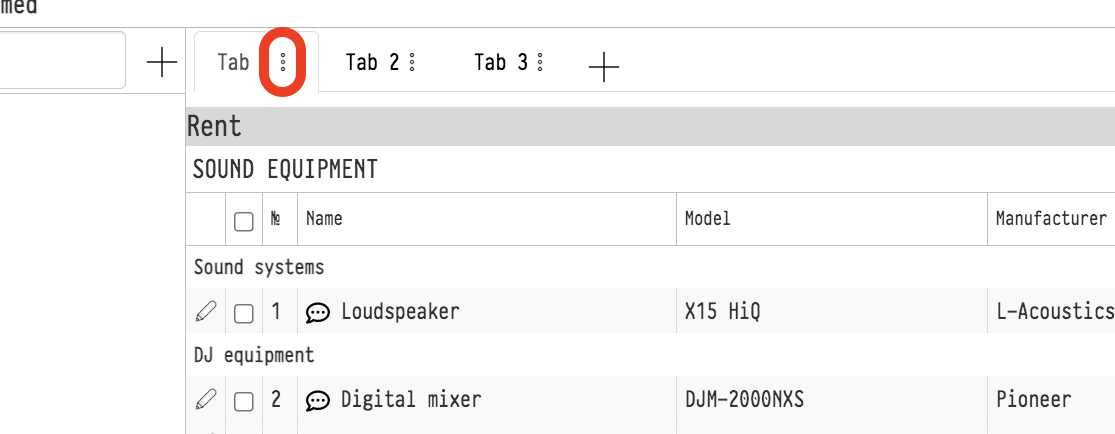
Menu items
The items in the menu are split into groups:
"Parameters": taxes, discount, coefficient, daily discount and price selection for the whole sheet. See Parameters.
"Rename", "Copy sheet", "Copy sheet to...", "Delete sheet": actions with the sheet itself. See Actions with the estimate sheet.
"Deactivate" ("Activate" for a deactivated sheet), "Organize", "Update prices". See Deactivate, Arrange, Update prices.
"Copy to specification" or "Update from specification": they appear when the "Specification" tab is open in the project.
"Copy selected" ("To this sheet", "To another sheet", "To another project"), "Delete selected", "Move the selected entries", "Actions with selected" ("Coefficient", "Discount"): they work with the entries ticked with checkboxes. See Actions with selected entries.
"Show contents of the kit/set" and "Hide contents of the kit/set": also for the ticked rows. See Show sets content, Hide the kit content.
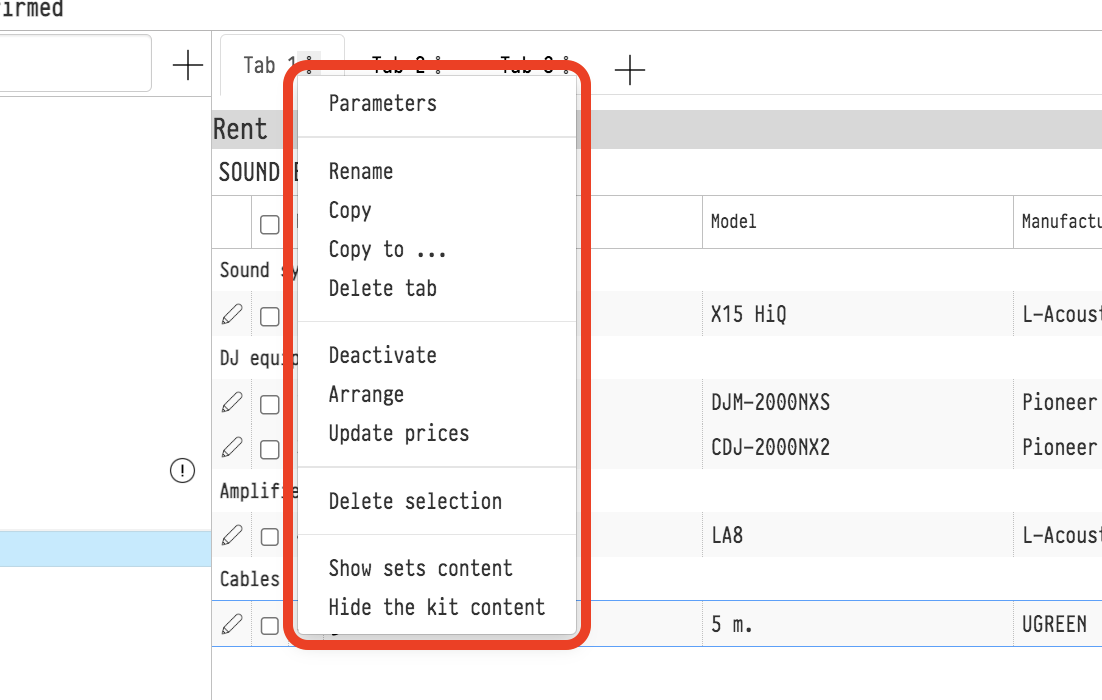
The full menu is available if your access template gives full access to the estimate "Parameters" and the current estimate status allows editing (the "Editing the Quotation" flag, see Estimate statuses). If the estimate status does not allow editing, only "Copy sheet to..." stays in the menu: copying the sheet to another project.
Deleting a sheet
"Delete sheet" deletes the sheet together with everything linked to it. Before deleting, the system warns: "You are deleting the tab, including phases, managers, staff, vehicles, and tasks. Are you sure?". Together with the sheet, the following is deleted:
all entries of the sheet;
phases, staff, vehicles and tasks on the "Planning" tab that were assigned to this sheet (whatever is assigned "For the entire project" stays);
managers assigned only to this sheet. If an employee is assigned to several sheets, only the link to the deleted sheet is removed.
Please note. The last sheet of the estimate cannot be deleted: a project always keeps at least one sheet. If you need to exclude a sheet from the calculation for a while, use "Deactivate".
While the estimate and the specification are linked, the paired specification sheet is cleared together with the estimate sheet. So deleting fails if something from this sheet has already been shipped to the venue, a lessor has been assigned to a sublease entry, or production has been assigned to an entry: the system shows what prevents deleting. Deal with these entries in the warehouse or in the "Sublease" block first.
Deleting a sheet is recorded in the project history.