Catalog
The "Catalog" subtab collects the general settings of your company's "Catalog" section. Open the gear "Settings" → "System" → "Catalog". The "General settings" card has three fields: "Sorting", "SKU - prefix" and "SKU - postfix". Changes are saved automatically; there is no "Save" button.
The subtab is available to employees whose access template has "show" selected for the "System" item in the "Settings" block.
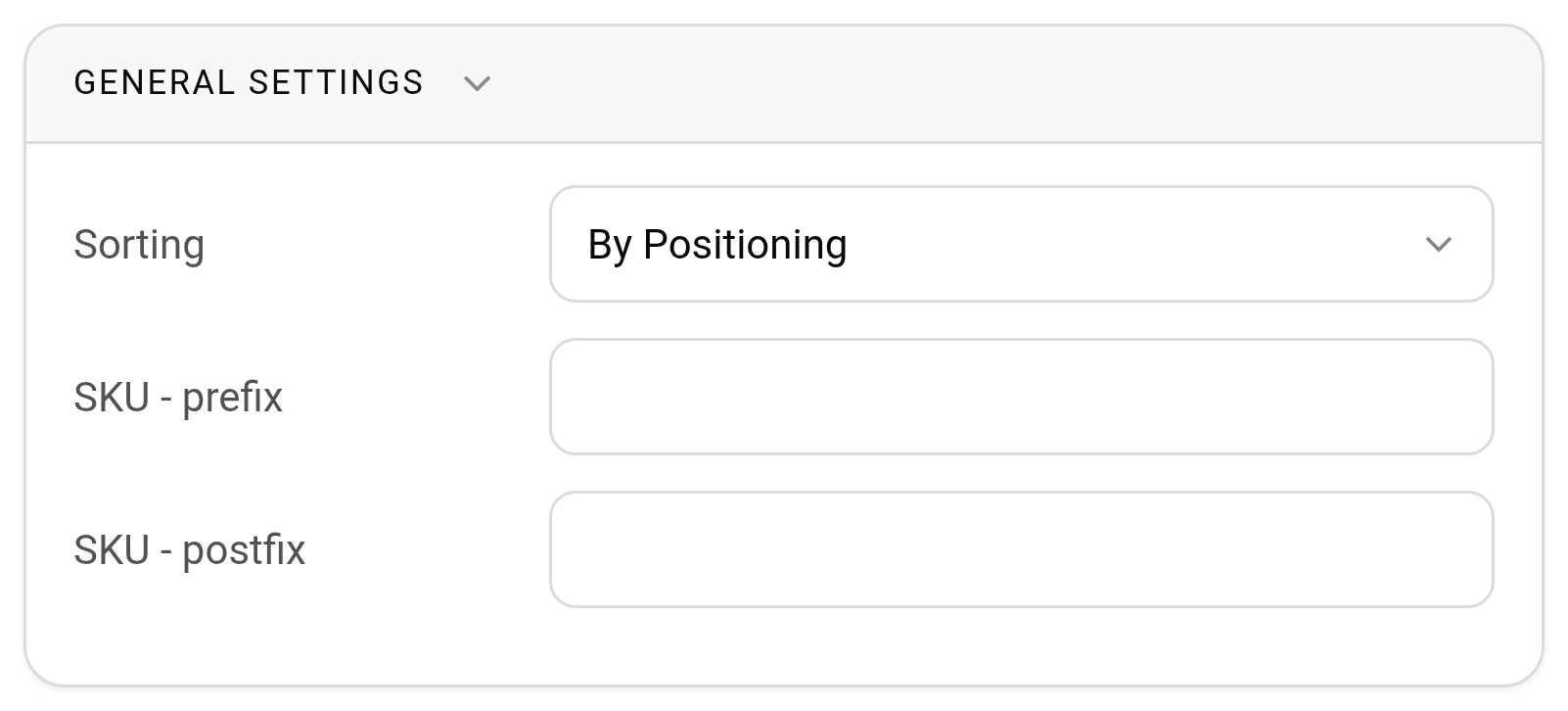
Sorting
"By Name" means alphabetical sorting. With this method the entries are fixed in their places: they can neither be moved through the catalog tree with the mouse nor grouped.
Sorting "By Positioning" is more flexible. You set the order yourself, and the entries can be dragged between the catalog folders manually.
The selected sorting method is also used in the catalog tree on the "Estimate" tab of the project.
SKU - prefix, SKU - postfix
These two fields help make the SKU numbers of your company recognizable and different from the numbers of other companies you exchange equipment with. For example, the prefix "L" can mean "lighting equipment", and the postfix can stand for your company.
When you add SKUs to a catalog entry, the system numbers them itself. The number consists of four parts:
the prefix from the setting;
the number of the entry in the catalog (the "id" column in the catalog table): three digits, padded with zeros on the left;
the sequence number of the SKU of this entry: also three digits; if this number is already taken, the next free one is used;
the postfix from the setting.
For example, with the prefix "L" and an empty postfix, the first SKU of the entry with number 5 gets the number "L005001", the second one "L005002". If both fields are empty, the number consists of digits only.
SKUs get their numbers by the same rule during the catalog import if the SKU number is not given in the file row.
Please note. The prefix and postfix apply only to new SKUs. The numbers of existing SKUs do not change. You can correct a single number manually in the SKU card.