Organize
The "Organize" item is in the estimate sheet menu: the three-dots icon next to the sheet name. It puts all the contents of the sheet in the order they have in the catalog: sections, subsections and the entries inside them.
Use it if the order on the sheet has got mixed up: for example, you or a colleague dragged entries or sections, and now you want the usual order back. The order on the sheet also defines the order of equipment in the quotation and in the warehouse pick list.
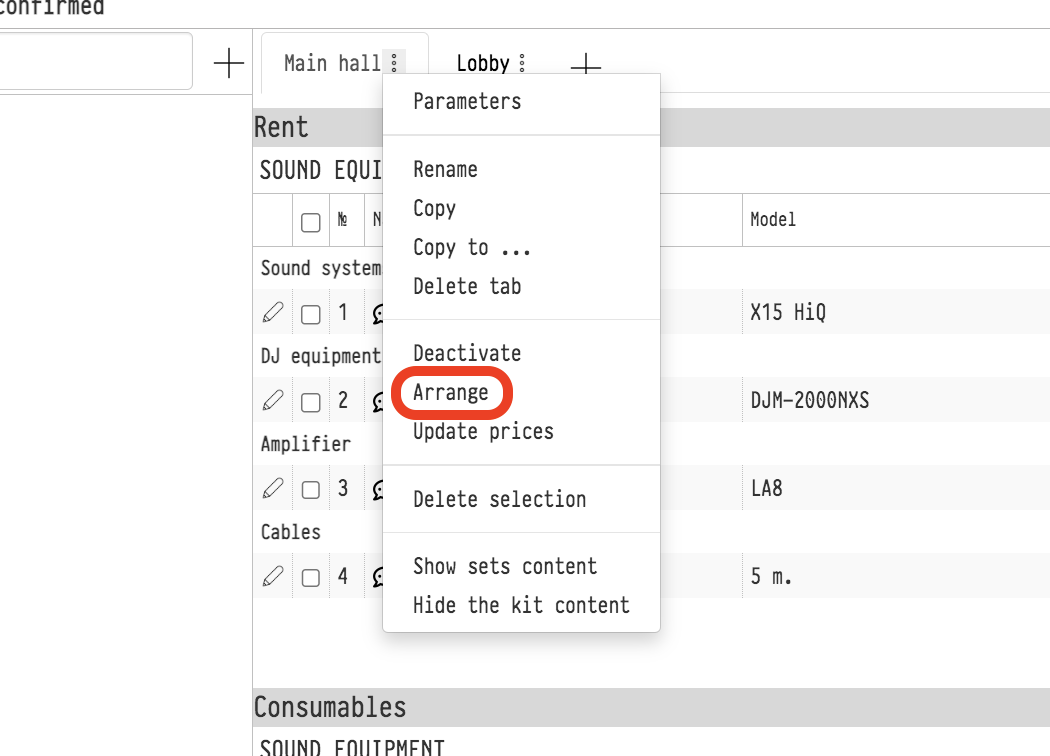
Please note. The sorting runs at once, without confirmation, and cannot be undone. If you arranged the order on the sheet manually on purpose, it will be lost. Prices, quantities and discounts do not change: only the order of the rows changes.
Only the sheet from whose menu you selected the item is sorted. The other sheets of the estimate stay as they were. Other actions with the sheet are described in Actions with the estimate sheet.