Incoming/Outgoing
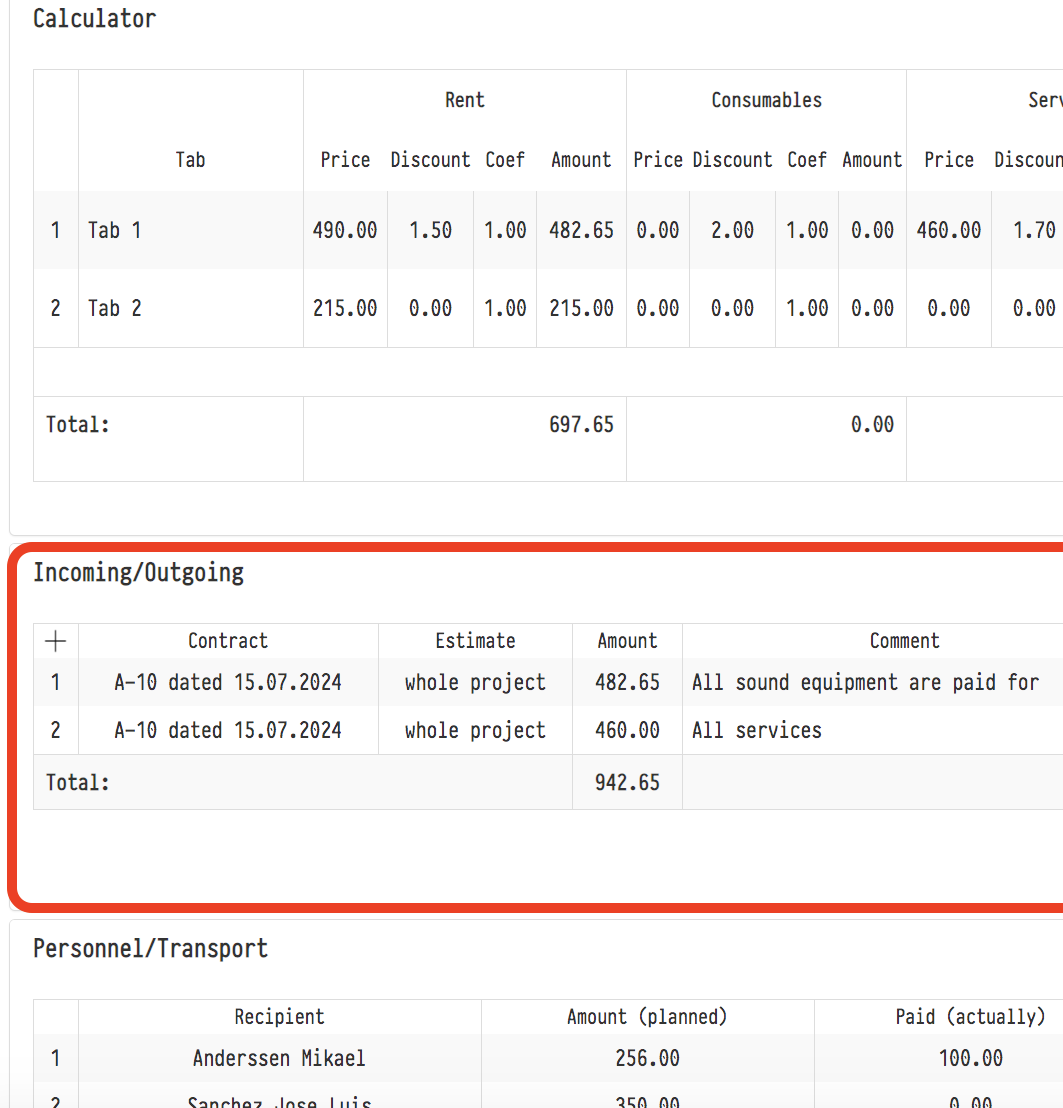
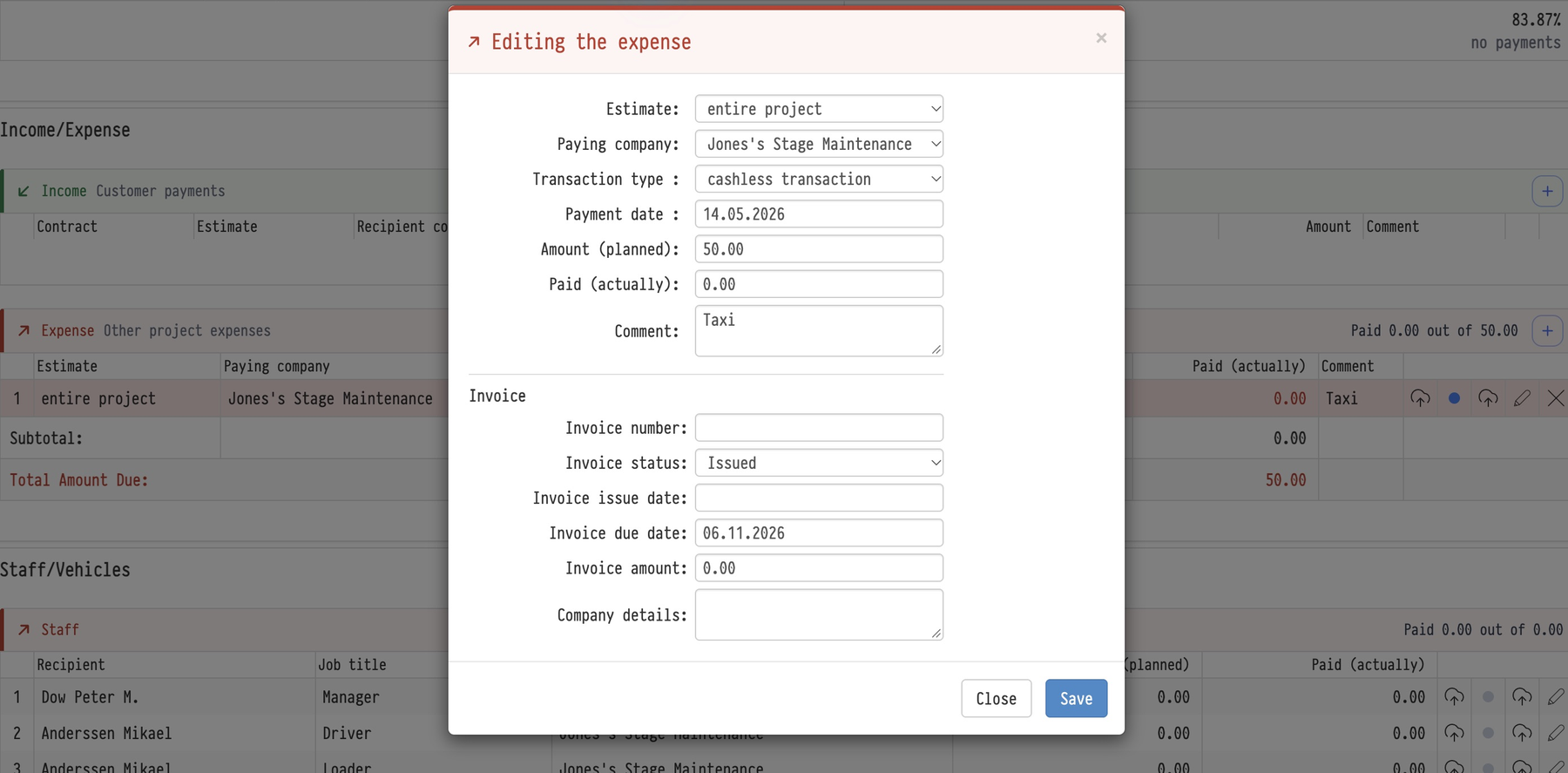
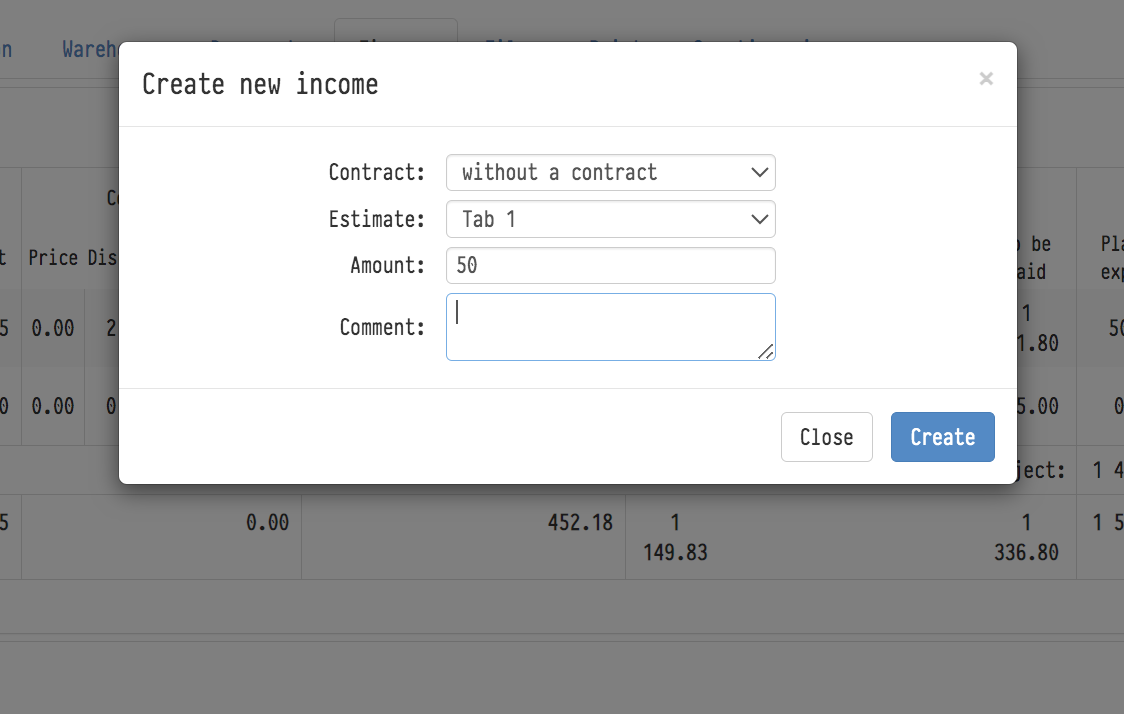
This calculator block consists of two halves. The left one is called "Incoming", and allows you to enter figures of actual receipts into the system. As soon as the client has paid for part of the estimate items, you, or your accountant, by clicking on the "+" symbol in this part of the block, open the "Create a new arrival" window, in which you deposit the amount of the payment made by the client.
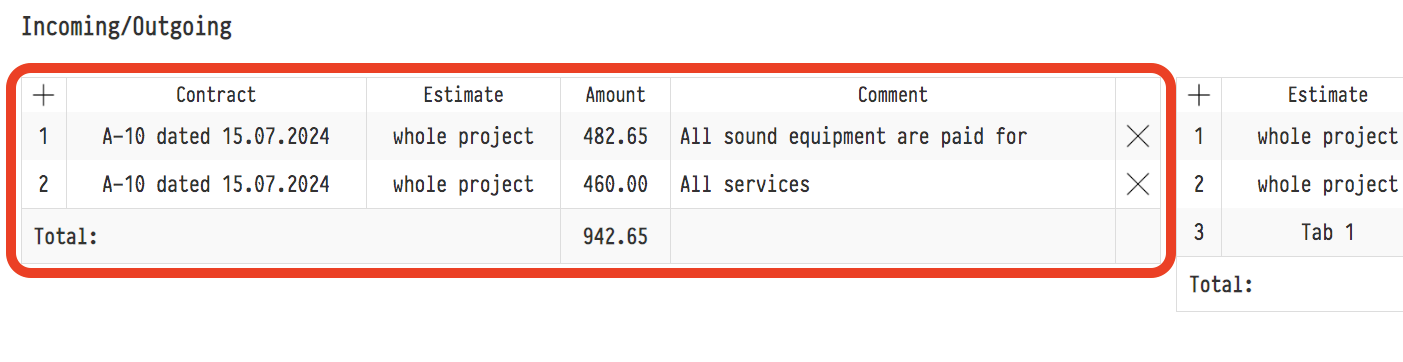
With the help of the right half of the block, which has the name "Outgoing", the Golova user gets the opportunity to add part of his planned expenses to the calculator.
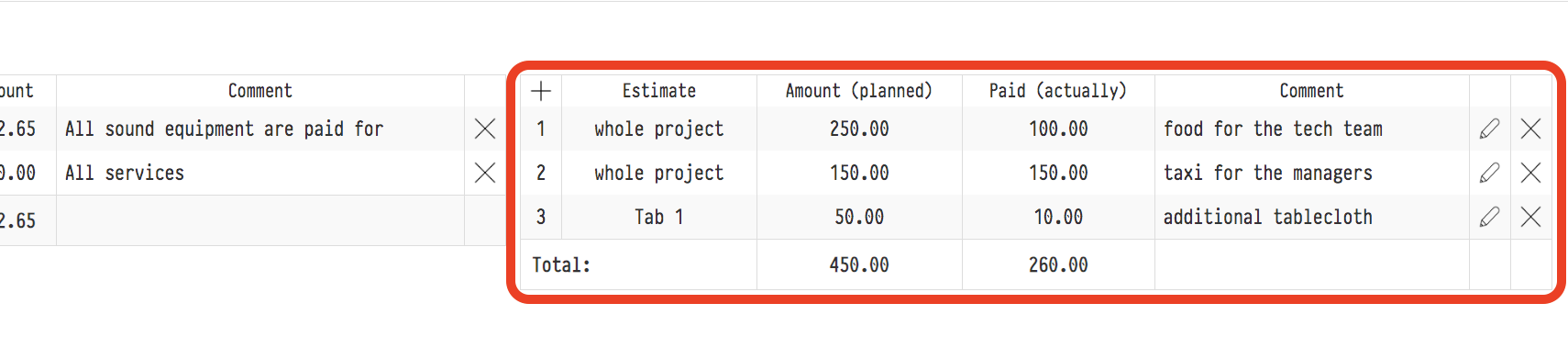
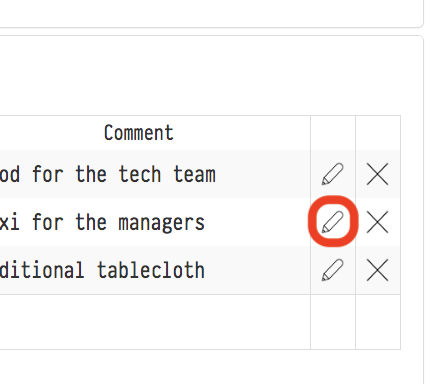
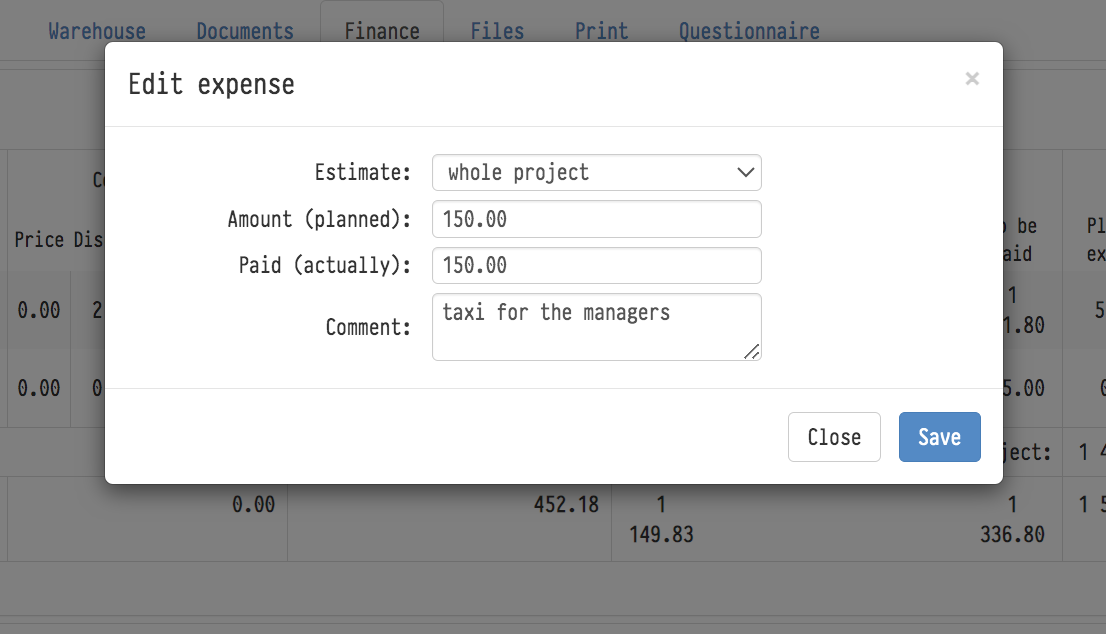
This refers to the costs of maintaining those that are pulled into the system from the sections "Planning" and "Specification". For example, it is convenient to enter here the amounts that the user is going to allocate to pay for the meals of his workers on the site, for a taxi for the project manager, etc. There are also fields here to indicate which part of the planned expenses has already been actually paid. This can be done during the creation of a new expense (click on the "+" symbol in the right half of the block, and in the window that appears, the "Paid (actually)" field). If the payment was made later than the planned expense was created, at any convenient moment, click on the Pencil symbol to open the expense editing window and enter (or adjust) the figure of the actual payment for this article.
Income against an invoice and payment status
If a document package with an invoice has been created on the «Documents» tab, an income entry can be linked to that invoice. The system then recalculates the invoice payment itself: partially or fully paid. This calculation is shown in the accounting table and in analytics, in the «Paid» and «Unpaid» fields.
Please note. Since version 20.4 a project also has a finance status: the row of circles at the top of the «Finance» tab, above the calculator. It is set manually and does not change with incomes. The two mechanisms work in parallel. See «Document and finance statuses».
Supplier invoice for an expense
Each expense row can have a supplier invoice: the expense editing window has an «Invoice» block with number, status, issue date, due date, amount and company details. The invoice status is shown as a coloured dot in the row; hover over it to see the number, date and due date. If the due date has passed and the invoice is not paid, the row is highlighted in red. All invoices across projects are collected in «Expense registry».