Warehouse. Default Display Setting
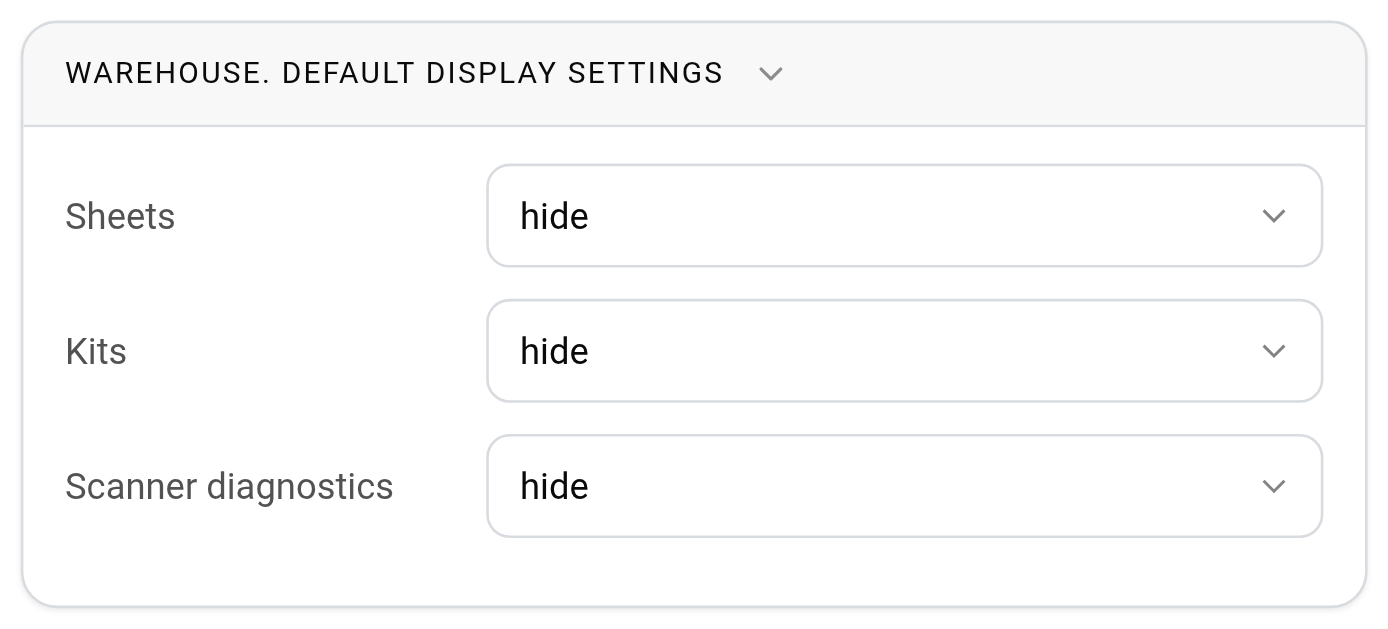
This block sets how the warehouse looks by default in new projects. Open the gear icon "Settings" → "System" → "Specification and warehouse", block "Warehouse. Default display settings".
"Sheets": "show" groups the entries in the warehouse by estimate sheets; "hide" shows them without splitting by sheets.
"Kits": "show" displays a kit as one row with its name, and its contents inside; "hide" shows everything included in kits as separate entries.
"Scanner diagnostics": "show" adds a service panel on the "Warehouse" → "Scanner" page with what the barcode scanner has sent. It helps to find out why a scanner reads codes incorrectly; in everyday work keep it on "hide".
Each employee can change the warehouse view in a specific project to suit their work: in the project warehouse, click the gear icon in the "Movement" block and turn "Nesting", "Sheets" and "Kits" on or off in the "Warehouse Display Settings" window. These settings are saved only for this employee in this project. See Movement of articles.
Please note. Default values apply to projects created after the setting is changed. For you the changes take effect immediately, for other employees after they log in again.