Sales report
The sales report shows how your catalog entries perform: in how many projects an entry took part, how many units were in the estimates and for what amount. It helps you see which equipment and services bring money and which stay idle.
The report is calculated from project estimates. A detailed picture of income and expenses, split into plan and actual, is given by the Financial report: in its "Income" section, rental, services and consumables have the same summary by entries.
Where to find it
In the top menu, open "Analytics" → "Sales report". The "Sales report formation" page opens.
Please note. The item is visible to employees whose access template has "show" selected for the "Sales report" row on the "Analytics" tab. How to set up a template: Creating a new template.
How to generate the report
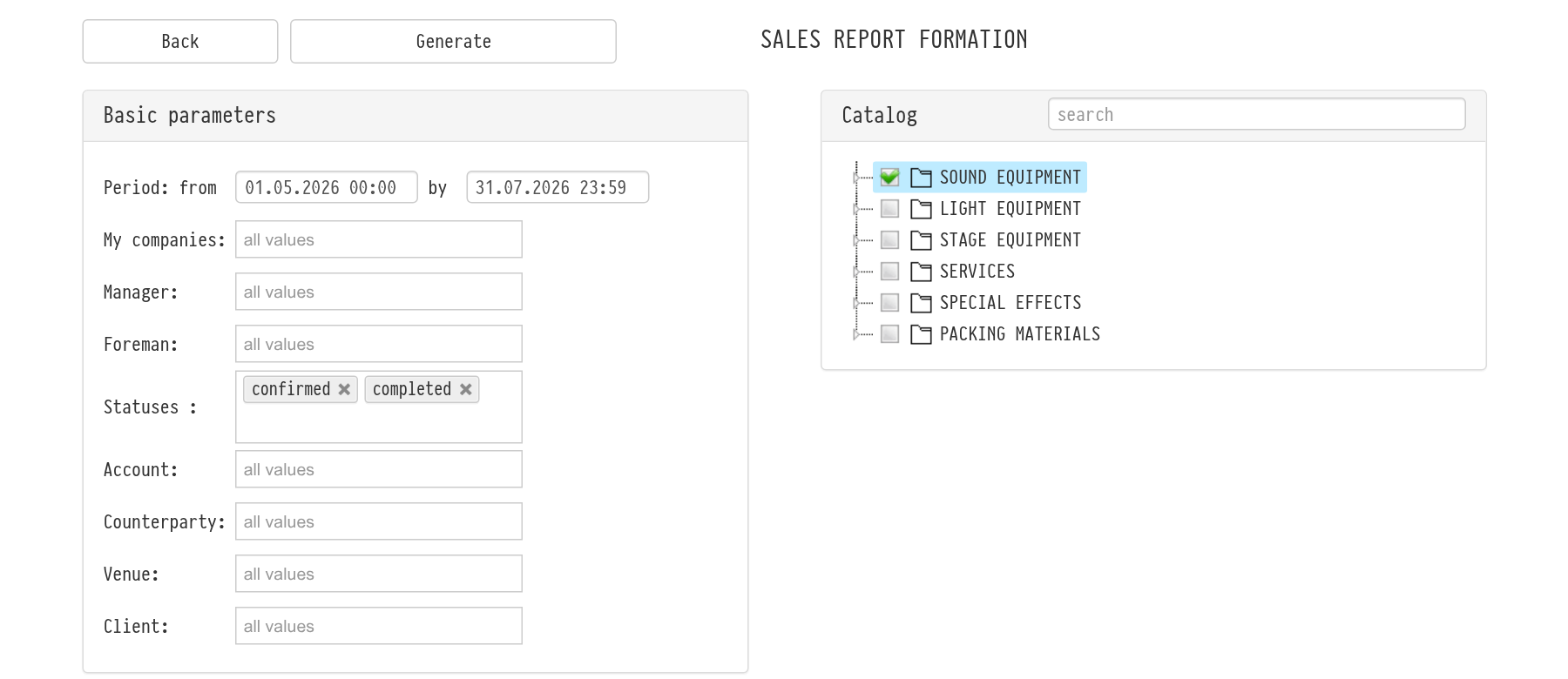
In the "Basic parameters" block, set "Period: from … by". The report includes projects that start on these dates.
Narrow the selection if needed: "My companies", "Manager", "Foreman", "Statuses", "Counterparty", "Venue", "Client". You can select several values in each field. An empty field means all values.
In the "Catalog" block, tick the sections, subsections or single entries you need. Ticking a section includes everything in it. The search line above the tree helps you find an entry quickly.
Click "Generate". The report opens in a new browser tab.
Please note. If you tick nothing in the "Catalog" block, the report is empty.
What the report shows
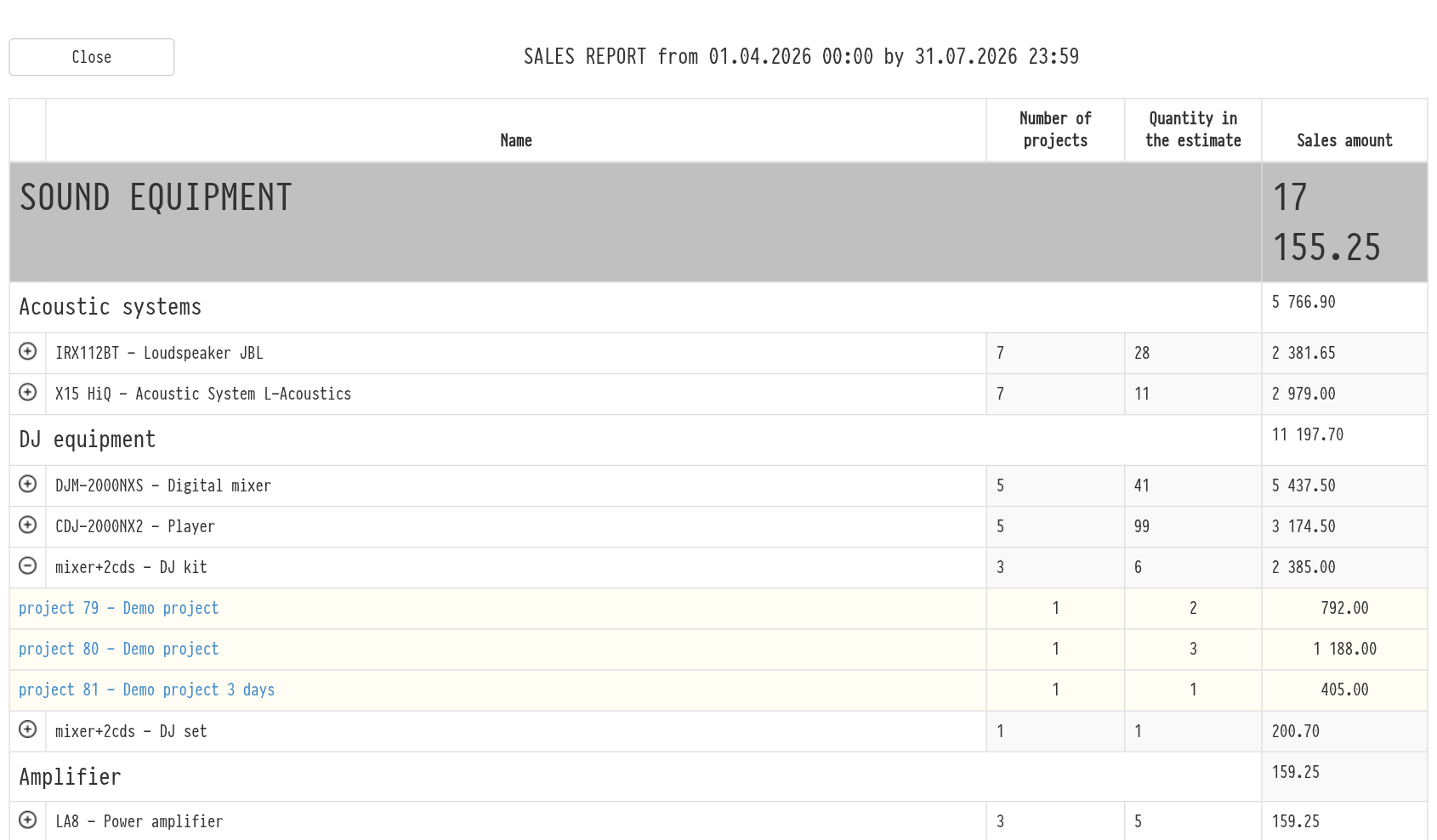
The header shows "Sales report" and the selected period. Entries are grouped by catalog sections and subsections, and each section and subsection shows its total. For each entry you see:
"Name";
"Number of projects": in how many projects the entry was in the estimate;
"Quantity in the estimate": how many units were in all these estimates;
"Sales amount": how much the entry brought in the estimates.
The icon to the left of an entry opens the list of projects with the quantity and amount for each. The project name is a link: the project opens in a new tab. The last row is the "Subtotal".
How the amount is calculated
Only active estimate sheets are counted. Deactivated sheets are not included.
The coefficient and discount of the estimate sheet are applied to the entry amount, separately for rental, services and consumables. More: Coefficient and Discount.
If the tax of the sheet is "tax excluded" or "in the final amount", it is added to the entry amount. With "tax included" and "in the price", the tax is already part of the price.
A kit is counted as one row, the way it is in the estimate. The entries inside the kit are not counted separately.
Please note. The "Account" field on the parameters page currently does not affect the result: the report is built from all projects, whether the bill is paid or not.
Key concepts
sales report, analytics, entry sales, sales amount, number of projects, catalog, period, statuses, manager