Estimate statuses
The estimate status is the main status of a project. It shows the stage of work with the client, from agreeing the proposal to completion. In a project, the estimate status is set on the “Estimate” tab with numbered circles and arrows, and its color determines the color of the project in the calendar.

The list of statuses and their properties is set up in “Settings” → “System” → “Statuses”, block “Statuses (estimate)”. Each status has a set of flags: a green dot means the flag is on.
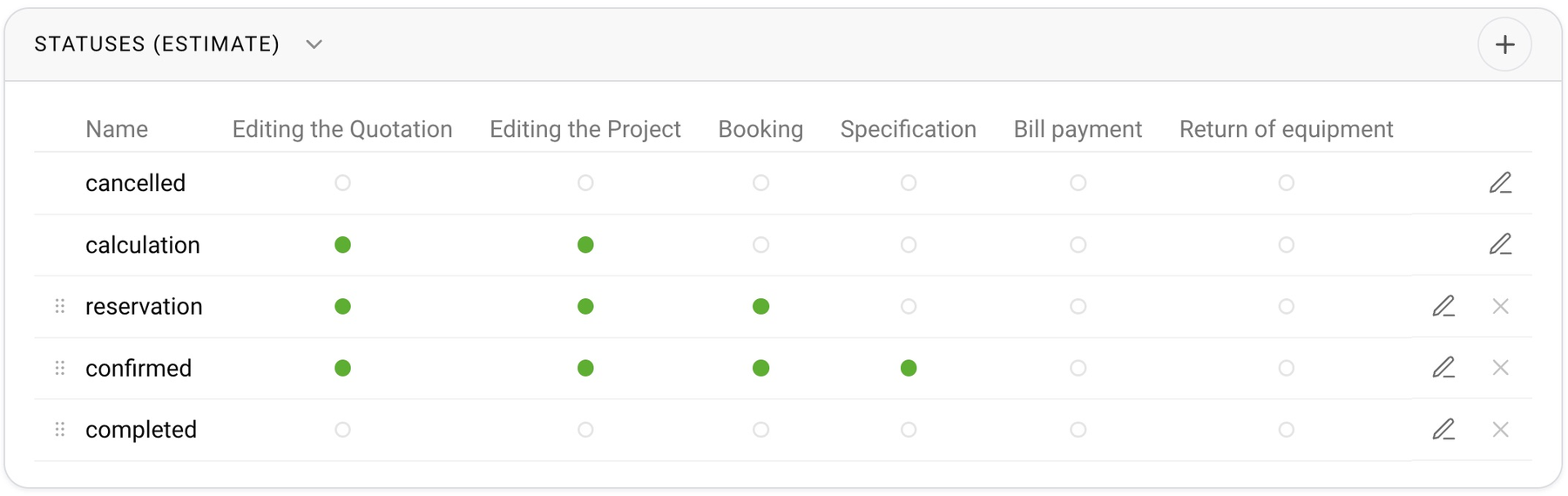
Estimate status flags
Editing the Quotation. While the project has a status with this flag, the estimate can be edited. On other statuses, the estimate editing block and buttons are hidden. The “Update from specification” and “Copy to specification” buttons also depend on this flag.
Booking. The equipment of projects with such statuses is reserved: it is subtracted from the available stock in all parallel projects, and the shortage is calculated from it. If you want estimate items to block the warehouse only after confirmation, turn this flag on for confirmed statuses and off for preliminary ones.
Specification. When a project moves to a status with this flag, it is automatically given the first specification status and the “Specification” tab opens. If you roll the project back from such a status, the estimate lines that were added to the specification automatically are removed from it.
Bill payment. A project can be moved to a status with this flag only when all documents of the project on the “Documents” tab have the status “paid”. That status is set automatically when you enter an income for the bill on the “Finance” tab and the amount covers the bill. Until then, the “next status” arrow is inactive, and its tooltip asks you to pay the bill. If the project has no documents, the restriction does not apply.
Return of equipment. A project cannot be moved to a status with this flag while some of the equipment is still at the venue. The “next status” arrow is inactive and its tooltip asks you to return the equipment from the venue. If the status is changed in another way, the system answers that the project cannot be completed because there is equipment at the venue. This flag is usually set on the “completed” status.
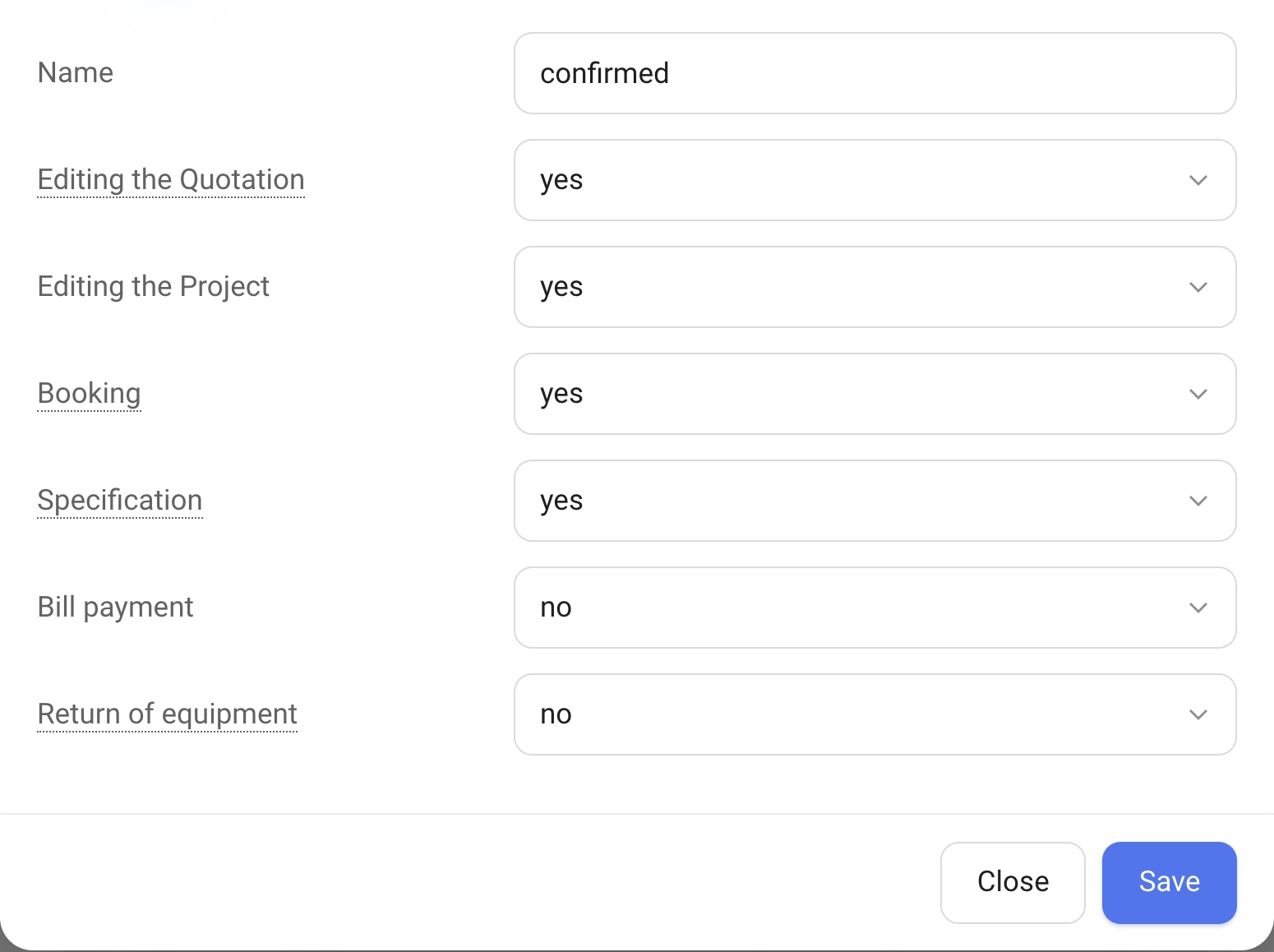
Please note. Flags work per status, not per project: to forbid editing the estimate after confirmation, it is enough to turn off “Editing the Quotation” for the “confirmed” status.
The system status “cancelled”
The “cancelled” status always exists. You can rename it, but you cannot delete or move it. A project is moved to it with “Cancel project”.
How to add or change a status
Click “+” in the block header, enter a name and tick the flags you need. A new status has “Editing the Quotation”, “Booking” and “Specification” on by default. The order is changed by dragging. A status that has projects cannot be deleted.
The colors of statuses in the calendar are set on the “Calendar” tab: see the “Estimate status settings” block.