Early shipment: overlaps with other projects
Sometimes you need to ship equipment before the projects that come earlier in the calendar are finished. Then it is important to know whether there will be enough equipment for the projects that have not shipped yet, and where the units you need are now. The Golova warehouse shows this right on the shipping screen.
How to turn it on
Open the gear "Settings" → "System" → "Specification and warehouse", block "Warehouse. Early shipment":
"Display information" — "yes": equipment that may run short gets a "!" icon;
"Display confirmation" — "yes": before such equipment is shipped to the venue, the system asks for confirmation.
The settings apply to you at once, and to other employees after they log in again.
The "!" icon on the warehouse screen
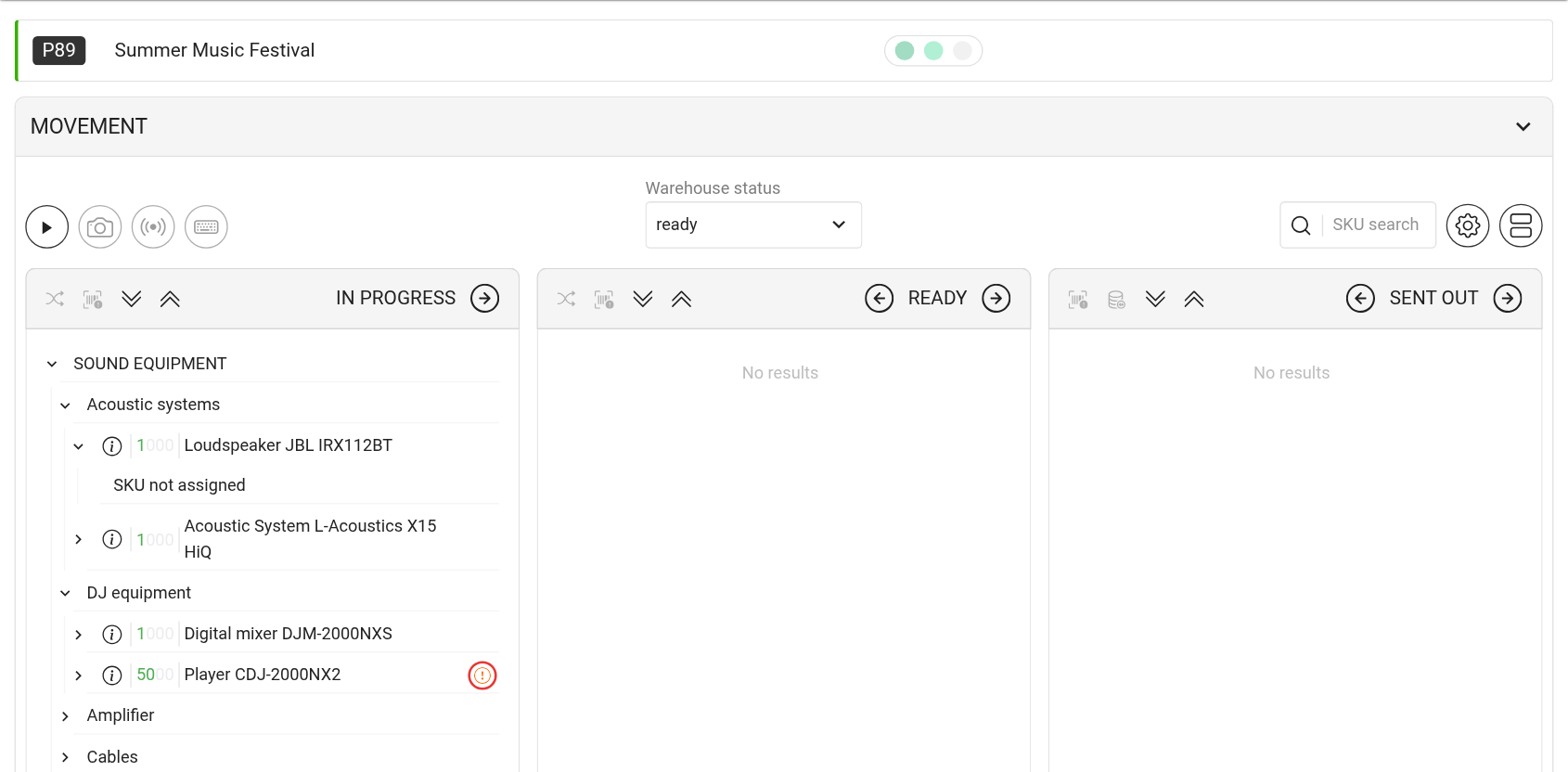
Open the project warehouse: menu "Warehouse" → "Projects" → the project card (or the "New warehouse" button on the "Warehouse" tab of the project). Entries that may run short get a "!" icon on the right.
The system compares how many working units are in the warehouse now with how many this project needs together with earlier projects that have not shipped their equipment yet. If there are fewer units than needed, the entry gets the icon. The colour shows the reason:
red: an earlier project has booked this equipment but has not shipped it yet. If you ship now, that project may be short;
orange: the overlapping projects have already shipped the equipment. It is physically at the venues and will come back later.
The icon is shown in the statuses before shipping to the venue. Consumables do not get the icon.
The "Equipment utilization" window
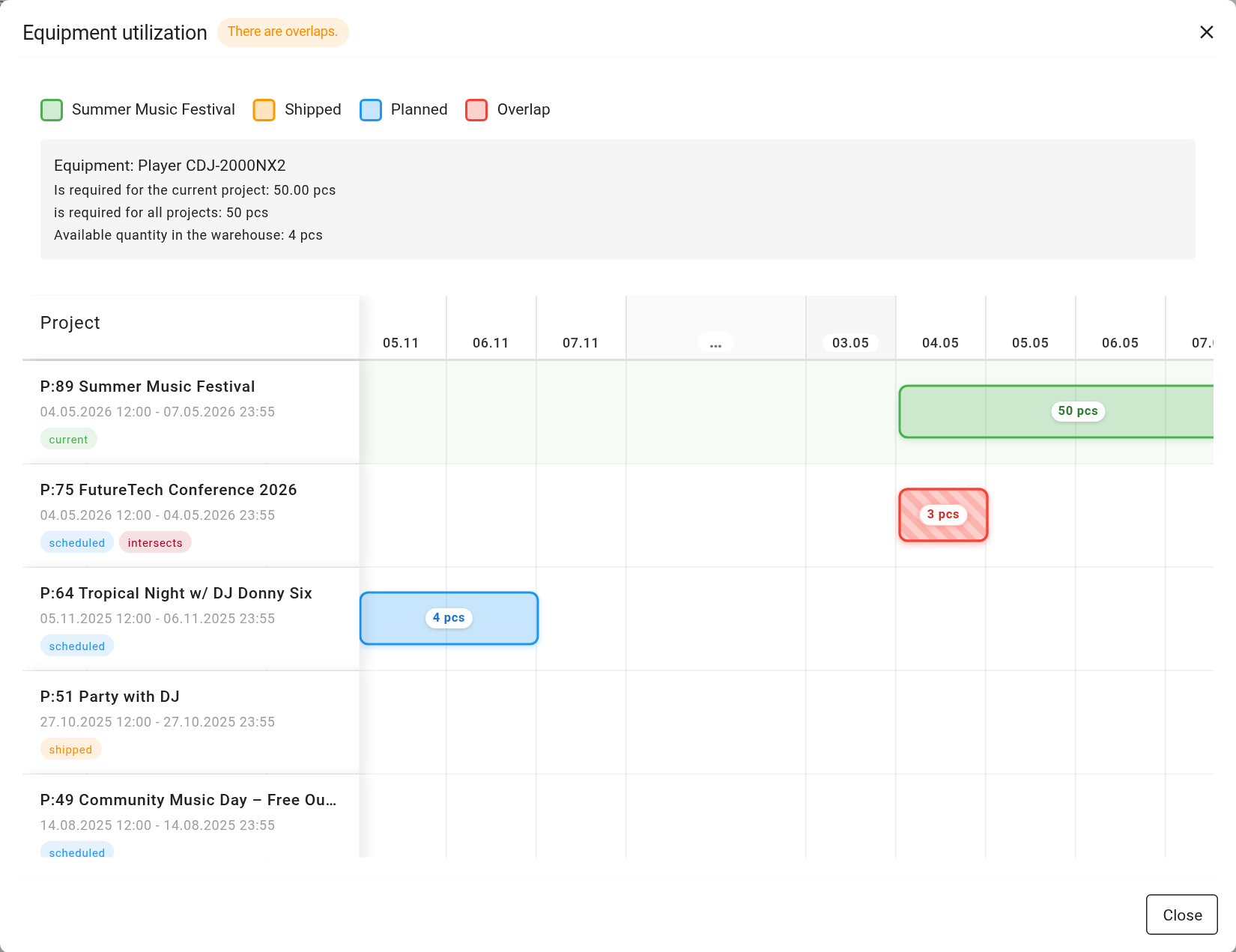
Click the "!" icon to open the "Equipment utilization" window. Its title says "There are overlaps" or "No overlaps".
At the top: the name of the equipment, "Is required for the current project", "is required for all projects" and "Available quantity in the warehouse".
Below: a chart by dates with a row for each project that uses this entry. Colours: the current project, "Shipped", "Planned", "Overlap". Long gaps without projects are collapsed into an "Empty period" with the number of days.
For each project you can see how many units are "Reserved" and the "Total".
The chart helps you decide what to do: ship now, agree on an earlier return from another project, or sublease the equipment.
Confirmation when shipping
If "Display confirmation" is on, the system checks the selected entries when you move them to a status with the location "Venue" (with the right arrow in the status column header). If some of them have the "!" icon, you see the question "You are shipping items involved in earlier projects. Continue?".
"OK": the entries go to the venue as usual;
"Cancel": nothing changes, and you can sort out the overlap.
Please note. The warning does not block shipping: the decision is yours.
How warehouse statuses and their location are set up is explained in the article "Warehouse statuses".