Consumables control
Consumables (batteries, tape, zip ties, smoke fluid) do not come back to the warehouse after a project. So it is important to see in advance how many will be used in a week or a month and whether they will run out in the middle of the season. The "Consumables control" report is made for this.
The report works like Equipment control, but takes into account that consumables are used up, not returned.
Where it is
Open "Analytics" → "Consumables control" in the top menu.
The item is visible to employees who have it open in their access template: the "Analytics" tab, the "Consumables control" row set to "show".
Generating the report
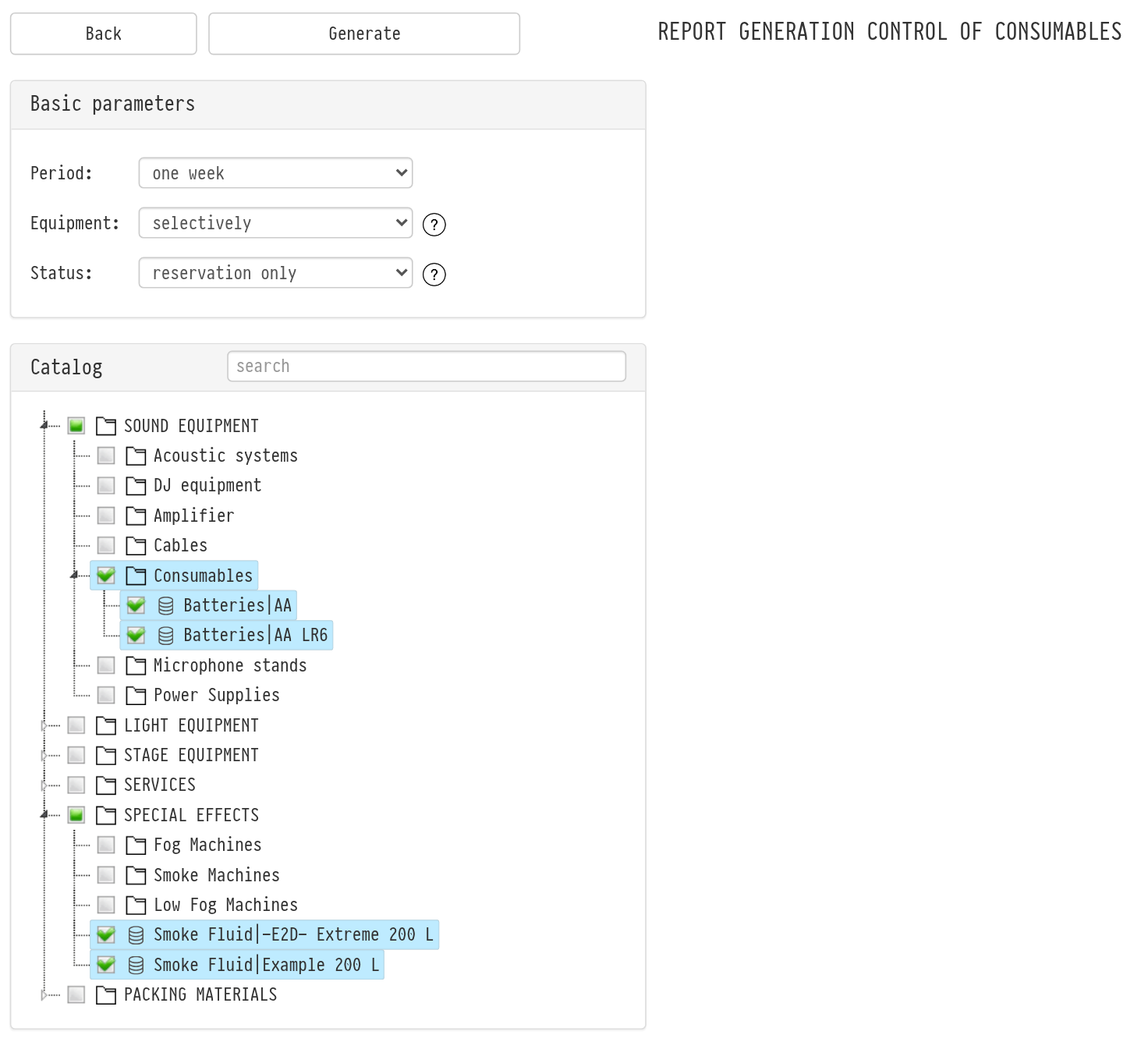
In the "Basic parameters" block, set the conditions:
"Period": "one day", "three days", "one week", "two weeks", "one month" or "custom dates". A week is counted from Monday of the current week, a month from the first day of the current month.
"Equipment": "involved in projects" includes the consumables that are in projects for the selected period; "selectively" opens the catalog tree on the right, where you select the sections or entries you need. There is a search field for the tree.
"Status": "reservation only" counts projects in statuses with booking turned on; "all projects" counts projects in any status except cancelled ones.
Hover over the hint icon next to a field to see a hint.
Click "Generate". The report opens in a new tab.
How to read the report
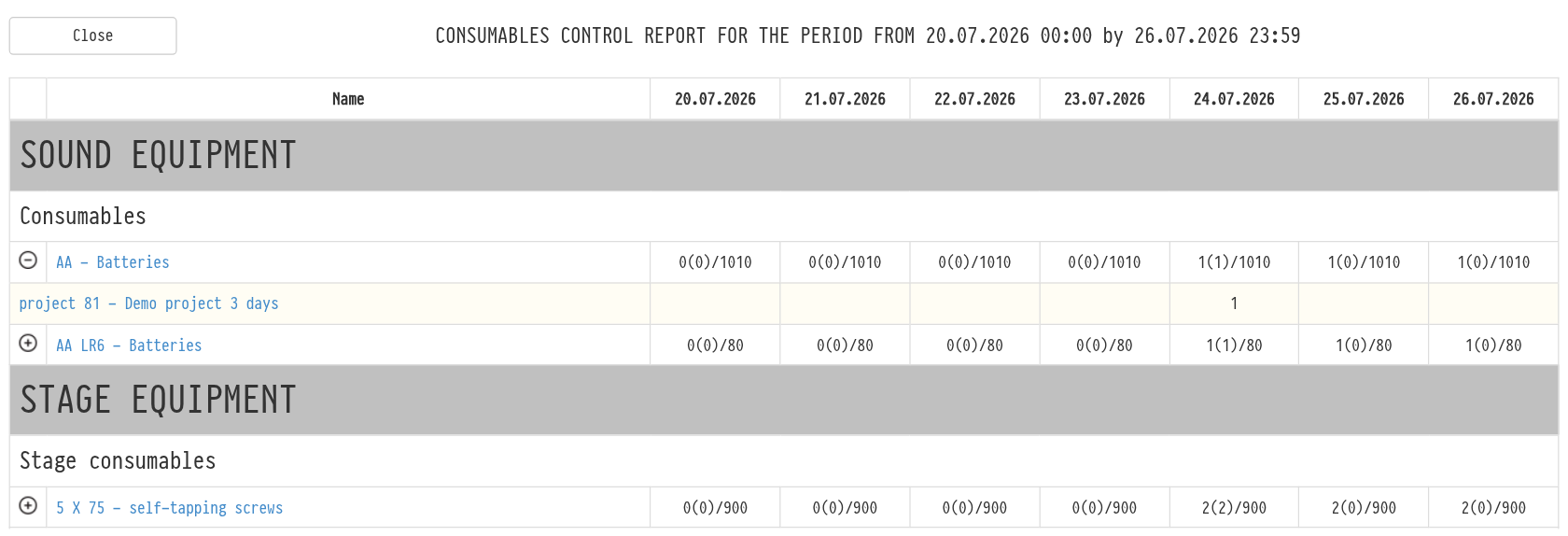
The report is a table: the rows are consumables grouped by catalog sections and subsections, the columns are the days of the period.
Each cell has three numbers in the format 12(4)/50:
the first number (12) is how many are needed in total, as a running total from the start of the period;
the number in brackets (4) is how many are needed on this day, that is, how many consumables go to projects that start on this day;
the number after the slash (50) is how many of this consumable are in the catalog.
If more is needed than you have, the cell is highlighted in bold red. This is a signal to buy the consumable in advance.
Hover over a number to see a hint with its meaning.
Details and navigation
Projects. Click the "+" icon to the left of a consumable: under the row you see the list of projects that need it and how much each needs by day. The project name opens the project in a new tab.
Entry calendar. A click on the consumable name opens its booking calendar.
Another period. The arrows on both sides of the report title switch to the previous or next period of the same length. There are no arrows for custom dates.
Please note. The report counts consumables added to the project specification. If a consumable is not in the specification, it is not included in the report.