Price types
The "Types of prices" link is in the row of links above the catalog table. Employees see it if their access template gives "full access" or "read-only" to catalog prices and price types are included in your service plan.
A price type is a separate set of rental prices for catalog entries. It lets you keep different prices for different clients, projects or working conditions. For example:
prices for regular clients;
prices for sublease projects;
special prices for a particular venue;
social or charity rates.
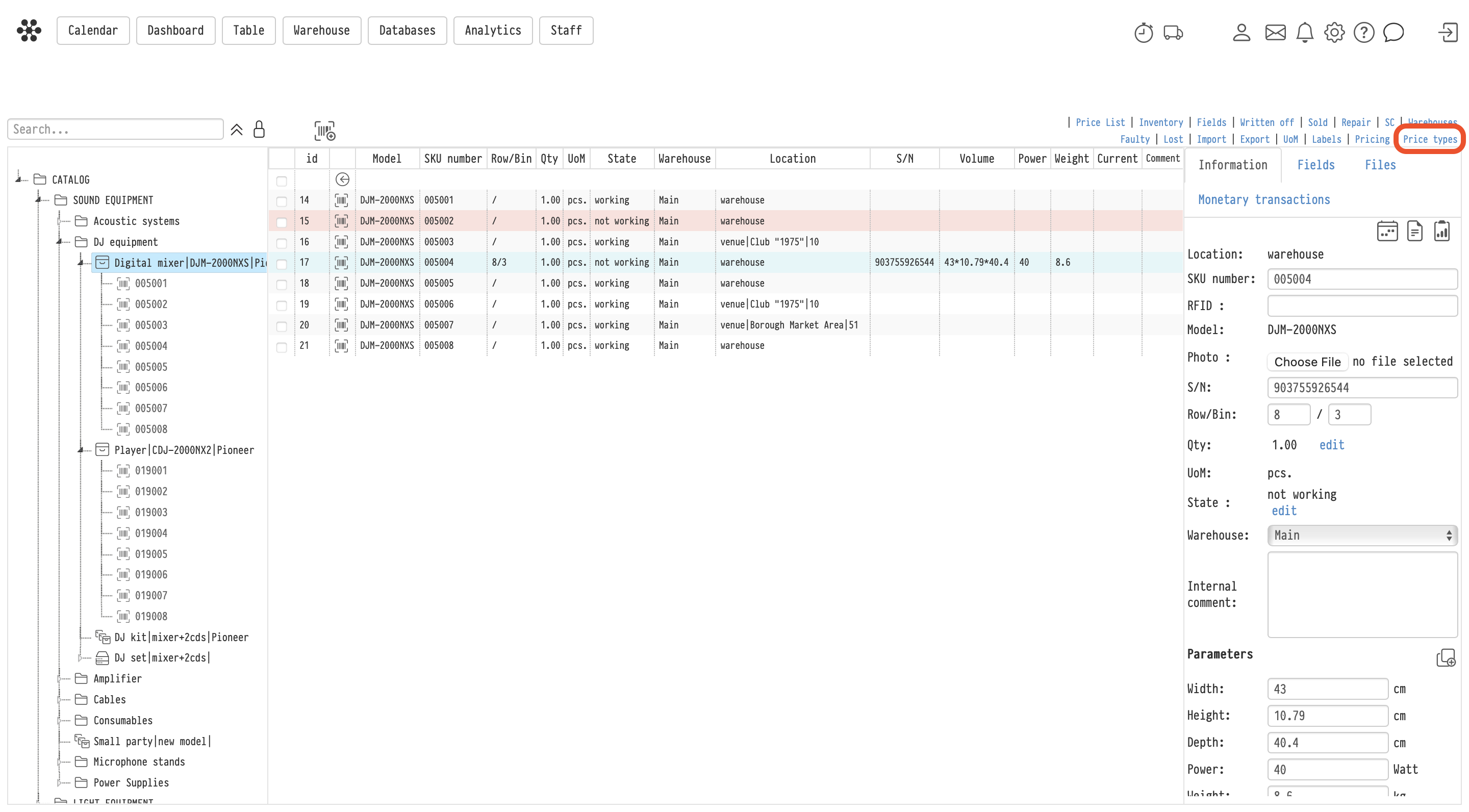
Creating a price type
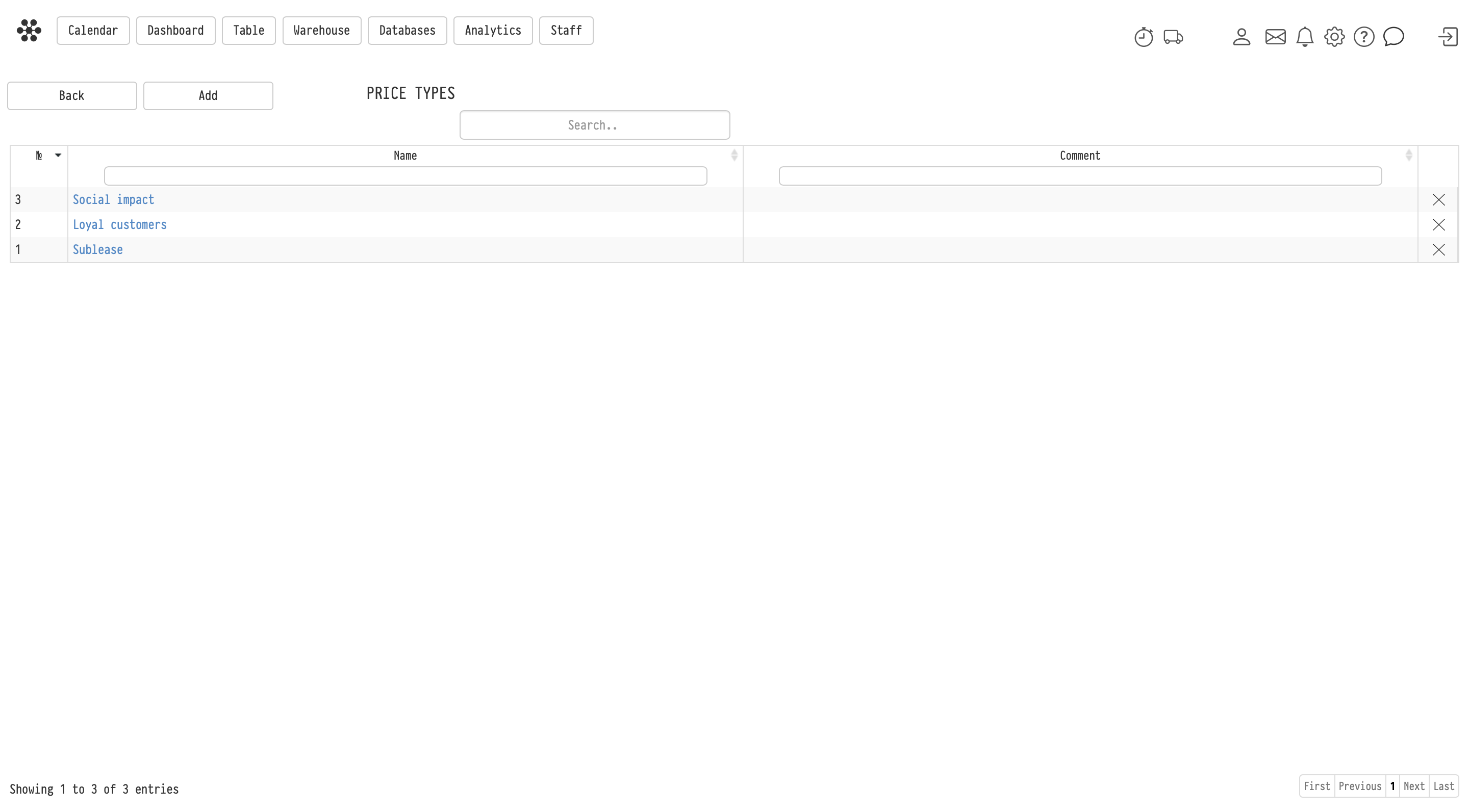
On the "Price types" page, click "Add", fill in "Name" (required) and, if needed, "Comment", then click "Add" again. The new type appears in the list. You can change the name and comment later or delete a type you no longer need.
The number of price types depends on your service plan.
Entry prices
After you create a price type, a rental price field for this type appears in the catalog entry card next to the standard rental price.
Price types work for equipment, kits, sets, accessories, consumables and services, that is, for every entry you can add to an estimate.
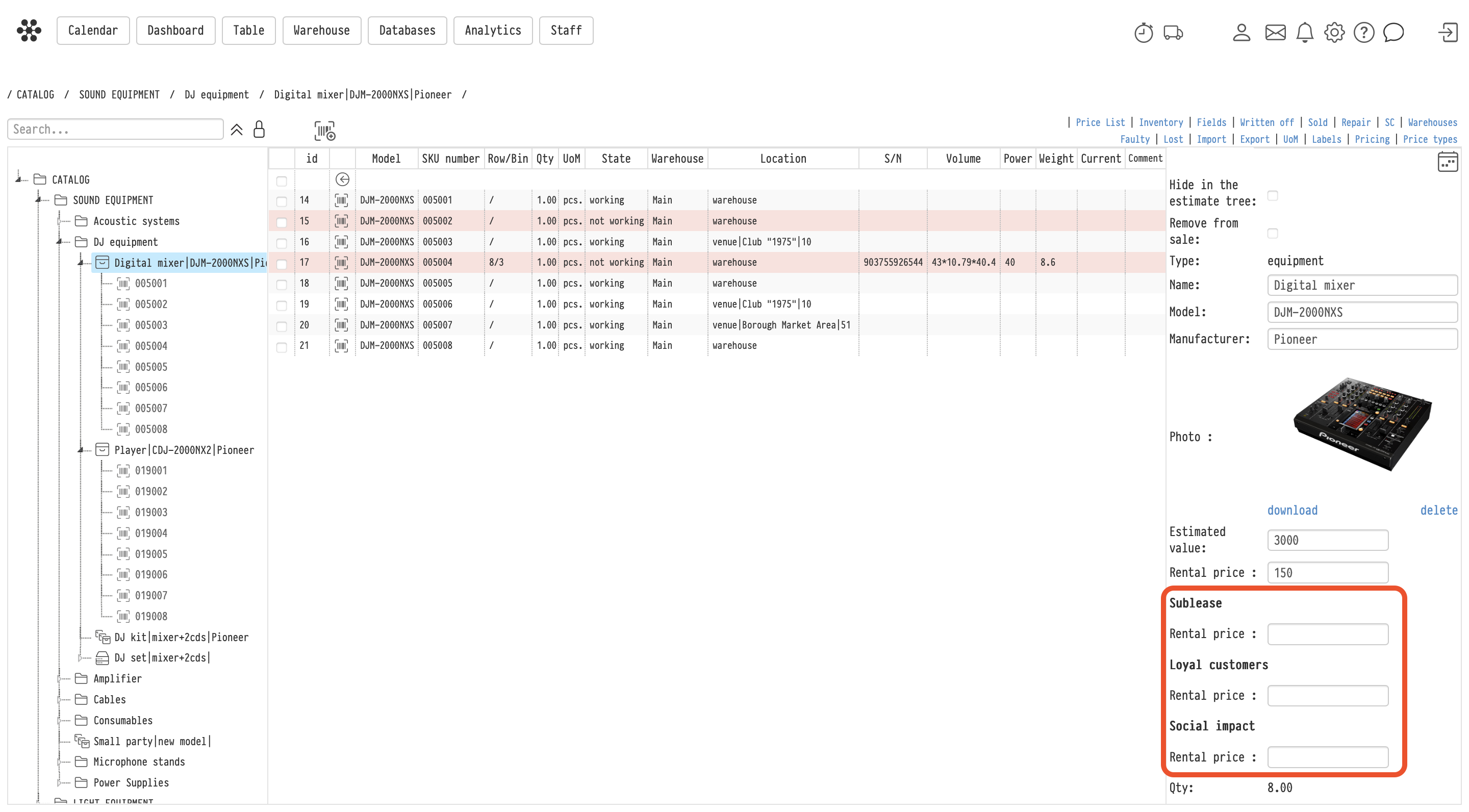
A new price type is created empty: standard prices are not copied into it. Filling in prices one entry at a time takes long, so use "Pricing" to fill them in bulk: export the catalog to Excel, enter the prices in the columns of the price type and upload the file back. See the article Pricing.
Using a price type in a project
You select the price type in the "Price type" field on the "Information" tab of the project.
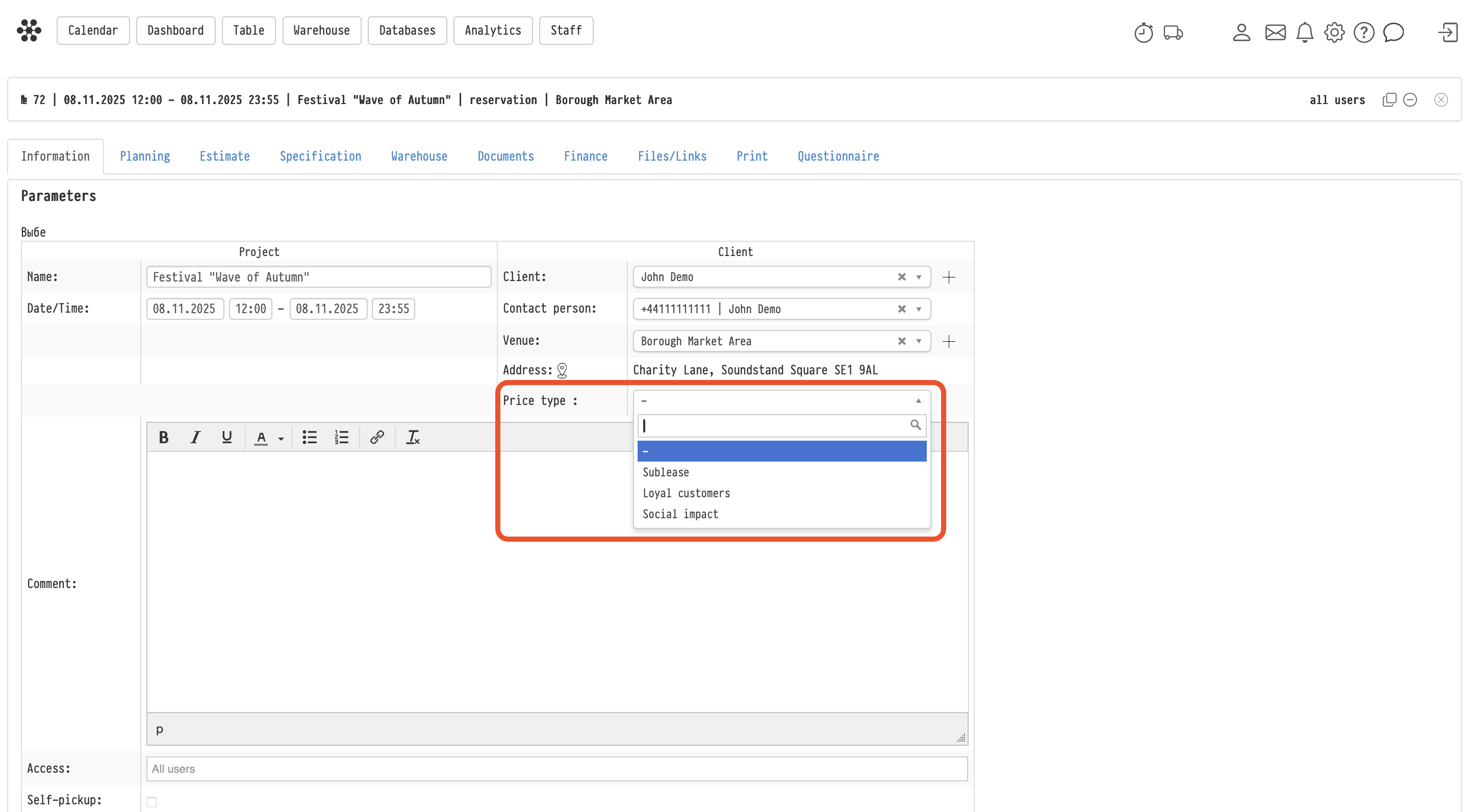
When a price type is selected:
the entries you add to the estimate get their prices from this type;
the catalog tree on the "Estimate" tab shows the prices of this type.
A project can have only one price type, and it applies to all estimate sheets.
Please note. Changing the price type does not recalculate the entries that are already in the estimate. To apply the prices of the new type, open the estimate sheet and run the "Update prices" action.
Client price type
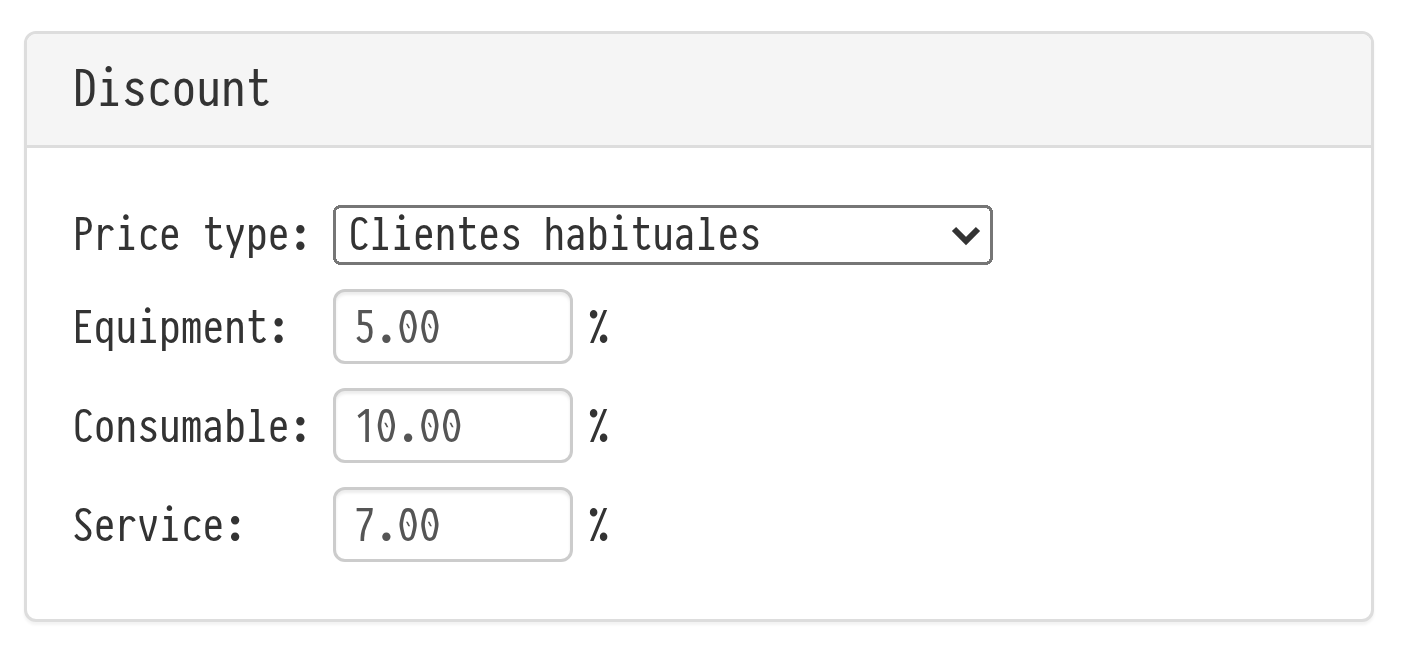
You can assign a price type to a client. When you select this client on the "Information" tab of a project, the "Price type" field is filled in automatically, together with the client's discounts.
To assign a price type, open "Databases" → "Clients", select the client and choose the "Price type" in the "Discount" block. See the article Adding and Editing Clients.
You can still change the automatically selected price type by hand in the project.
If a price is not filled in
If an entry has no price in the selected price type, it goes into the estimate with a price of 0. Before you start working with a new price type, fill in prices for all entries you rent out under it, or correct the price directly in the estimate.
Deleting a price type
A price type can be deleted even if it was used in projects. Prices in existing projects stay unchanged.
Difference between a price type, coefficient and discount
Price type
A price type sets the base rental price of an entry. It is a ready set of prices for different clients, projects or working conditions.
Per-entry coefficient and discount
Per-entry coefficients and discounts apply to a specific estimate row. They change the price of one row on top of the base price.
Global coefficient and discount
Global coefficients and discounts apply to the totals of estimate sections: equipment, services, consumables and others. They do not change the base price of an entry, but adjust the total of the selected section.
Using them together
All these tools can be used at the same time: the price type sets the base prices, per-entry coefficients and discounts change individual rows, and global coefficients and discounts adjust section totals.
Key concepts
Price type, Prices, Catalog, Estimate, Project, Client, Coefficient, Discount, Pricing, Rental price, Update prices