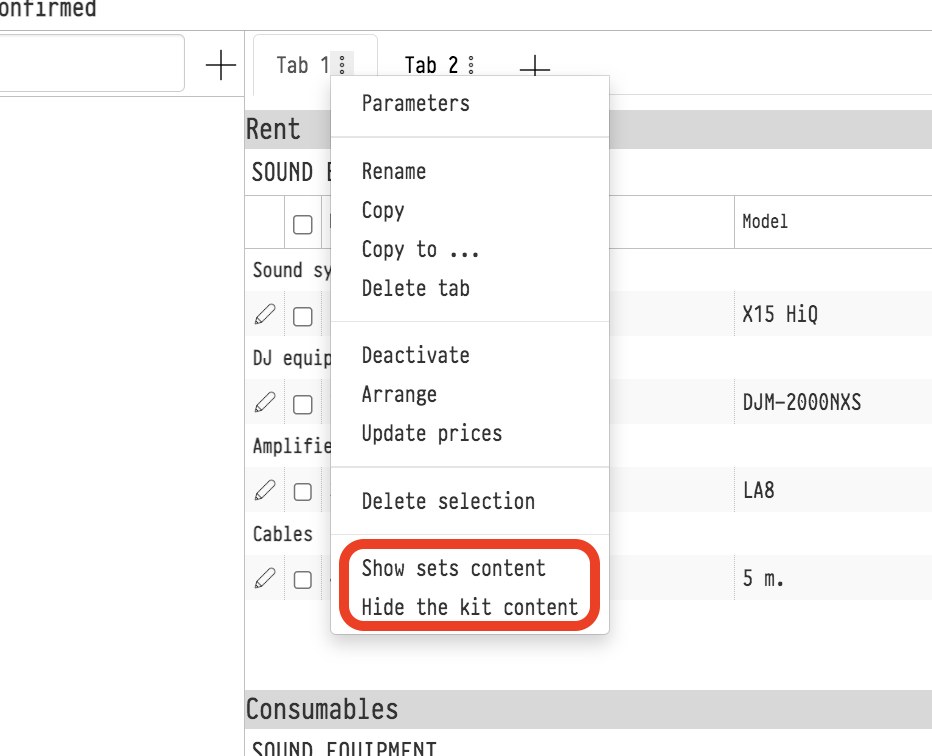
Show sets content, Hide the kit content
If you have added a kit or a set to an estimate sheet as one row, you can show the list of what it contains under its name, or hide this list.
When it works
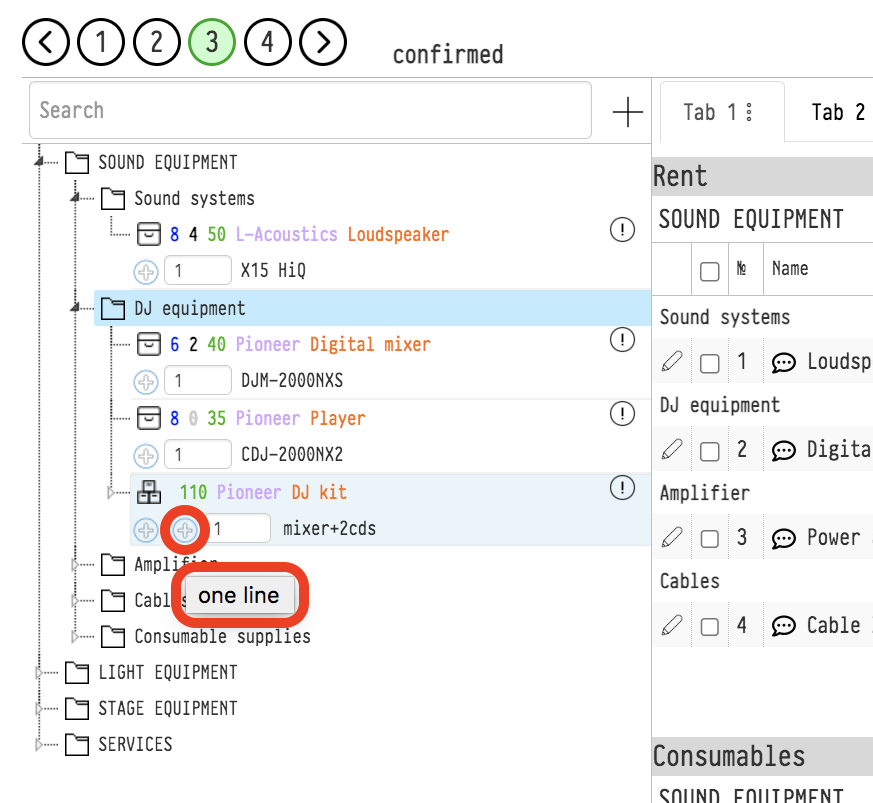
A kit in the catalog tree of the estimate has two "plus" symbols. The left one, "split by position", adds each component as a separate row, so there is nothing to show. The right one, "in one line", adds the kit as one row, and the "show contents" and "hide contents" items work for such rows.
How to show or hide the contents
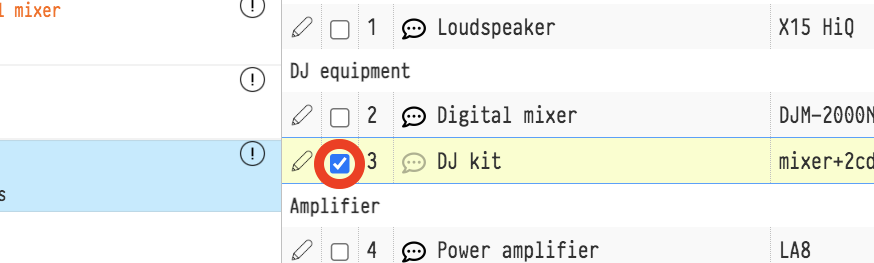
Tick the rows of kits and sets in the estimate sheet. The checkbox is at the beginning of the row, between the pencil symbol and the entry number.
Click the three dots next to the sheet name.
Select "Show contents of the kit/set" or "Hide contents of the kit/set".
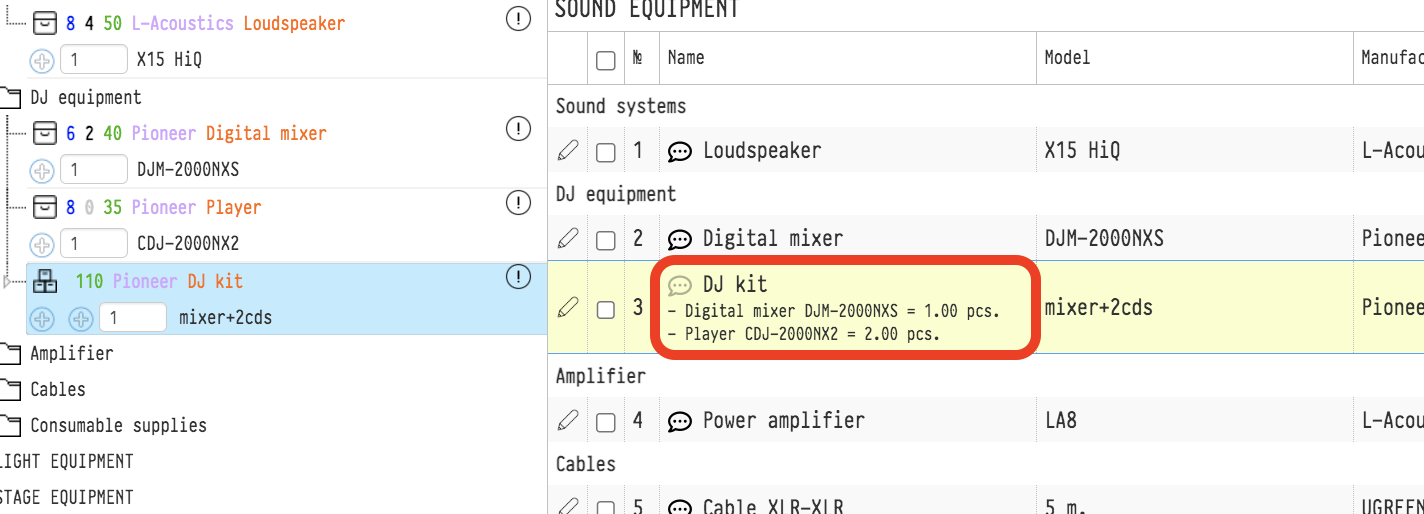
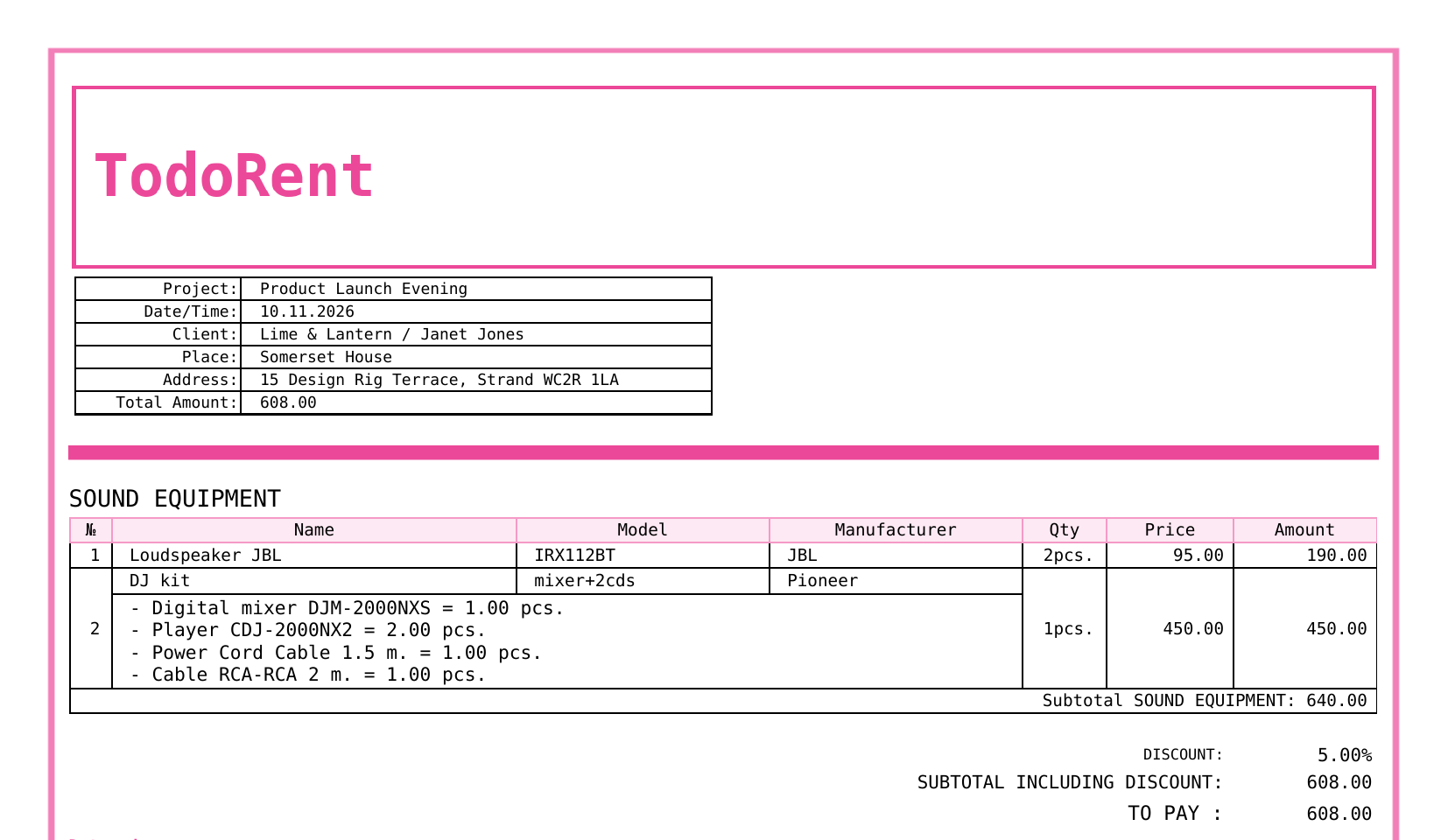
After "Show", the list of components appears in the "Name" field under the kit name, one row per component, in the form "- Name Model = quantity UoM". The quantity is given for one kit, as in the kit card in the catalog. "Hide" removes the list.
The items apply only to the ticked rows. The other kits of the sheet stay as they were.
Default setting
Whether to show the contents of kits for which you have not chosen anything is decided by the company setting: gear "Settings" → "System" → "Project", "General settings" card, "Show the contents of the kit" switch. If it is on, the contents are visible for all kits and sets added as one row. The choice made in the sheet menu for a particular row takes priority over the company setting.
Contents in documents
The contents shown in the estimate are also printed in the quotation, both in PDF and in Excel, as a separate row under the kit entry. Hidden contents do not get into the documents. This way you decide for each kit whether to show the client what it consists of.
The menu items are available if you have full access to the estimate "Parameters" and the estimate status allows editing, see Additional settings.