Adding and Editing Clients
You can add a new client in the "Clients" database or right from a project, with the "+" button next to the "Client" field on the Information tab.
Adding a client in the database
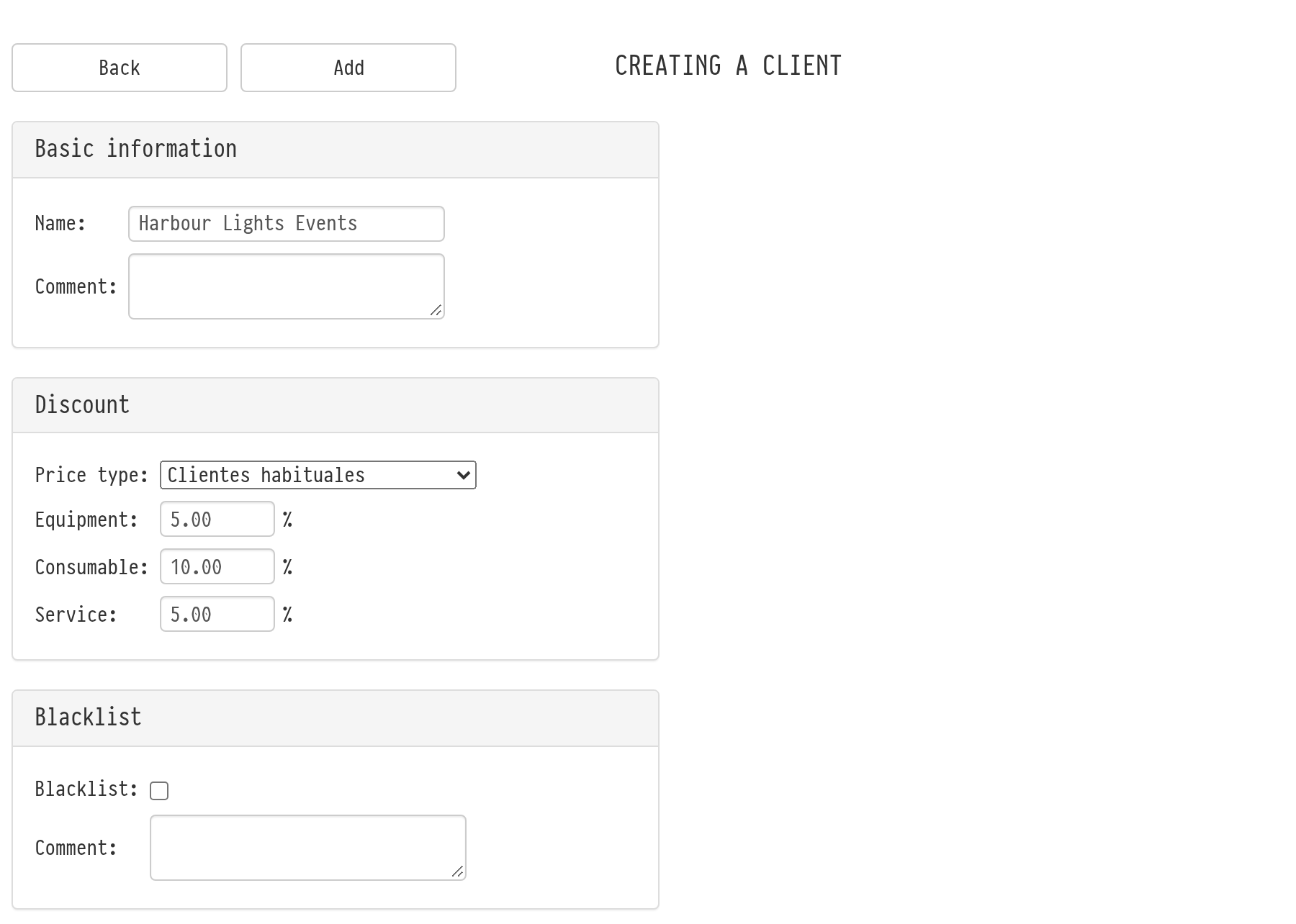
Open "Databases" → "Clients" and click "Add". The "Creating a client" page opens.
In the "Basic information" block, enter the "Name" (the company name or the client's name) and a "Comment" if needed.
In the "Discount" block, choose the "Price type" and enter the client's personal discounts in percent: "Equipment", "Consumable", "Service". If there are no special terms, leave the fields empty and the price type "-".
If the client is blacklisted, tick "Blacklist" in the "Blacklist" block and write the reason in the "Comment" field of this block.
Click "Add" at the top of the page. The client card opens with the "Contacts" block, where you add contact persons with their full name, phone number, email and comment.
To add a contact, click the icon in the upper left corner of the "Contacts" table. In the "Adding a Contact" window, fill in "Full name (Given names and Surname)", "Phone number", "E-mail" and "Comment" and click "Add". A client can have any number of contacts; you add them one by one. To change a contact, click the icon in its row: the "Editing the Contact" window opens. The add icon is visible to employees with full access to the "Clients" database.
Enter the phone number in international format: the "+" sign and the digits without spaces, for example +34612345678.
How the client's terms get into a project
When you choose a client on the "Information" tab of a project:
the "Price type" field is filled in with the client's price type, and entries added to the estimate after that get prices of this type;
estimate sheets that have no discount yet get the client's discounts on equipment, consumables and services;
the client's contacts appear in the "Contact person" list.
You can change the price type and discounts in the project by hand; the client card stays the same. For more about price types, see the article Price types.
If you choose a blacklisted client, the system shows a warning.
Adding a client from a project
In the "Creating a new client" window on the "Information" tab of a project, you fill in the "Name", the full name, phone number and email of the contact person, the discounts "Discount - equipment" and "Discount - service", and a "Comment". Click "Create": the client is saved in the database and selected in the project straight away.
Please note. The window for creating a client from a project has no "Price type" field and no discount on consumables. To give the client a price type, open their card in the "Clients" database.
Editing
To change a client, click its name in the list of the "Clients" database. Make your changes and click "Save". The new price type and discounts are used in projects where the client is chosen after that. Projects that already exist do not change.