UoM (Units of Measurement)
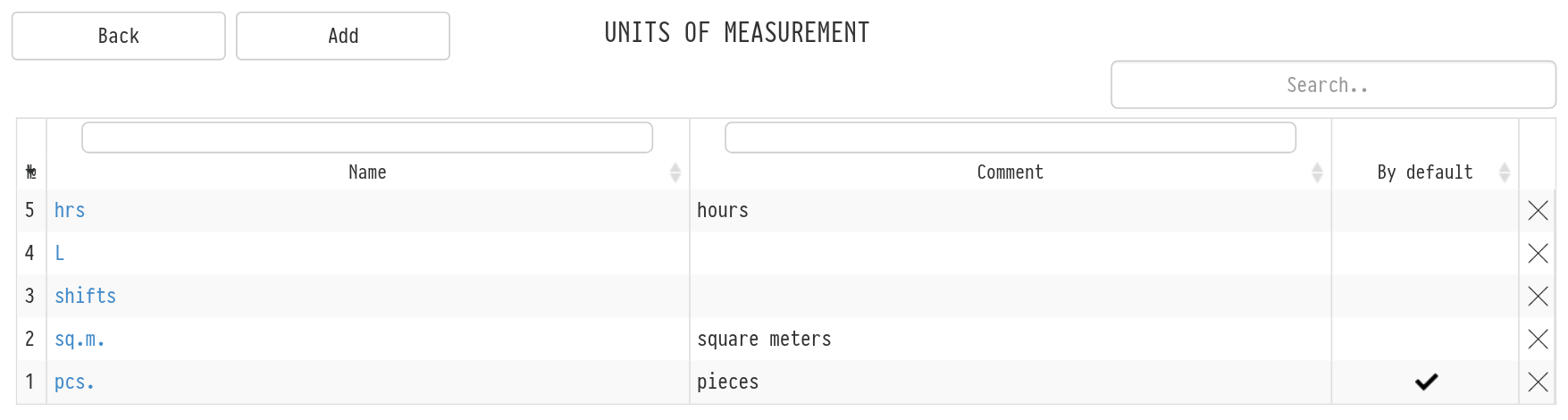
Units of measurement are the list of units you count catalog entries in: pieces, square metres, running metres, litres, shifts, etc.
Open the catalog and click "UoM" in the top menu of the catalog.
Click "Add", enter the name of the unit and save it.
You can then specify the created units in the entry cards (equipment, services, consumables, etc.) and show them in quotations for clients. The unit marked "By default" is set for new entries automatically.
Fractional quantity
Not everything is counted in pieces. LED screens are rented by the square metre, cable by the running metre, fluids for smoke machines by the litre. So for some entry types you can enter a quantity with a fractional part, for example 12.5 or 1.75.
You can enter a fractional quantity for:
consumables;
accessories;
services;
kits, if they contain no equipment and no sets.
It works wherever the quantity of such entries is entered: when adding to an estimate and editing an estimate row, in the kit contents, in the default quantity in the entry card, when entering stock in the warehouse. You can separate the fractional part with a comma or a dot; the quantity is rounded to hundredths.
Please note. Equipment and sets are counted only in whole pieces: each unit has its own SKU. If you enter a fractional number for them, or for a kit that includes equipment or a set, the system shows the error "Error! Only whole numbers can be added".
