Scanner log
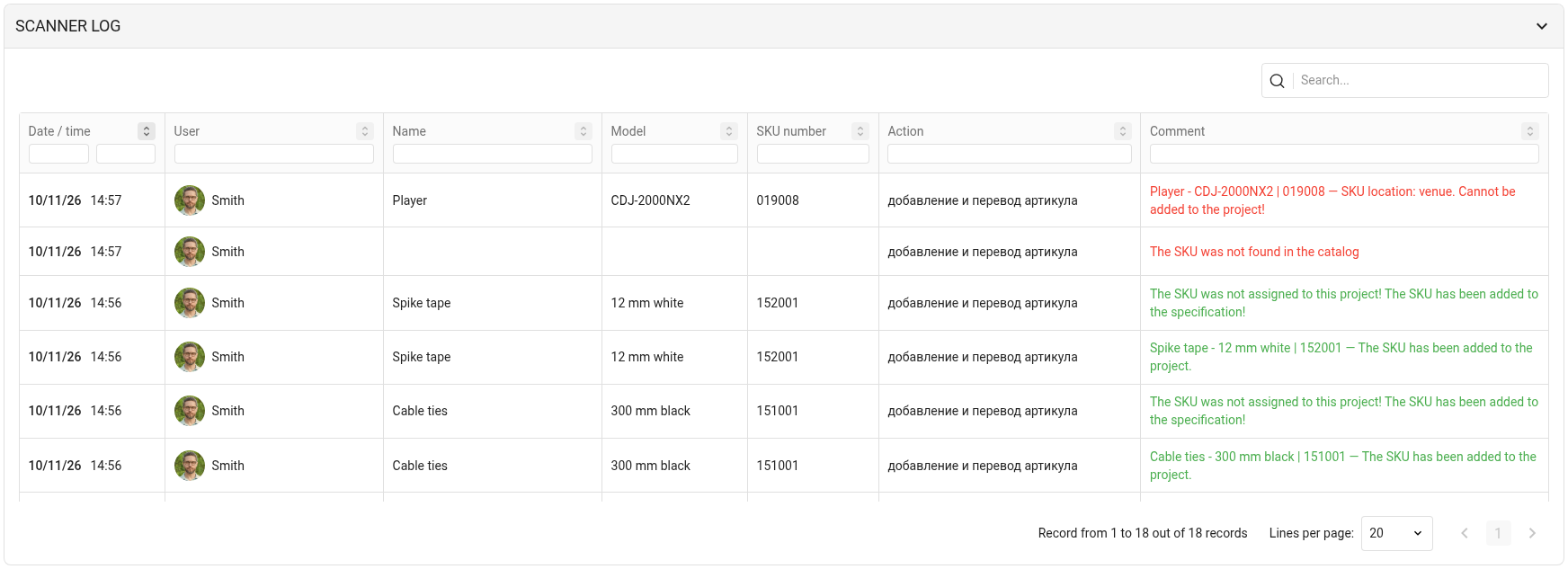
The "Scanner log" block of the project warehouse shows all barcode and RFID tag reads for this project. Each row is one scan. Click the block title to expand it; the "Movement" block collapses.
The table has these columns:
"Date / time": when the scan was made;
"User": who scanned;
"Name" and "Model": what equipment it is;
SKU: the SKU number;
"Action": what happened, for example a move from one status to another;
"Comment": the scan result. Green text means everything went well, red means an error, for example the SKU was not found or cannot be moved.
Search, filters and sorting
The "Search..." field above the table searches by name, model and SKU number.
Filters are under the column titles; for the date, you pick a day in the calendar.
The arrows icon next to a column title sorts the table by this column.
At the bottom there are page navigation and the number of rows per page.
All actions in the project warehouse, including manual moves, are in the "Log" block, see "Log".