Specialties
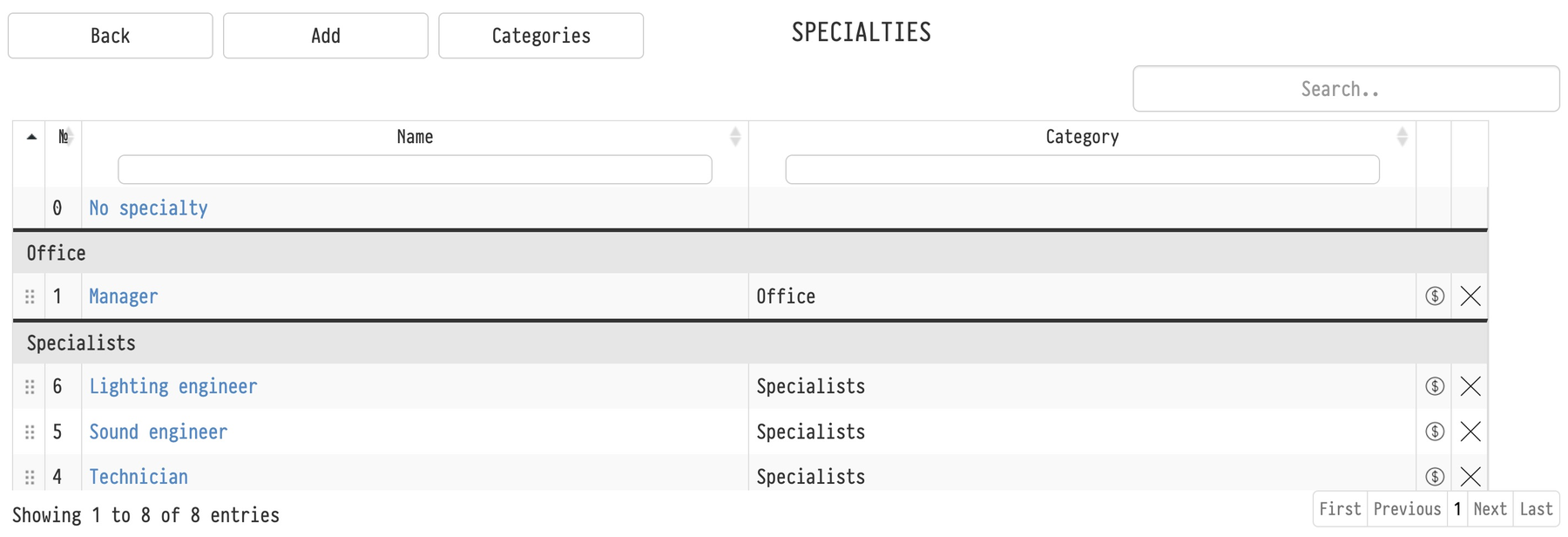
Specialties allow you to sort employees by their areas of work. Specialties can be divided into categories (for example, "Office", "Warehouse", "Specialists", etc.). Categories are created and edited on the specialty page, the "Categories" button.
On the "Employees" page, click "Options" and go to "Specialties".
Click the "Add" button to create a specialty. In the window that opens, enter the name of the specialty and select a category.
Order of specialties
Drag a specialty by the handle on the left to change its position. A specialty can only be moved within its category. The table is grouped by category; specialties without a category are in the “Without category” group.
Dragging works only when the table is sorted by the first column; otherwise the system asks you to sort by the first column. The order of the categories themselves is changed the same way on the “Categories” screen.
Specialties appear in this order in lists: when adding an employee to a project on the “Planning” tab and in the employee card. For example, you can put warehouse specialties first.
One rate for all employees
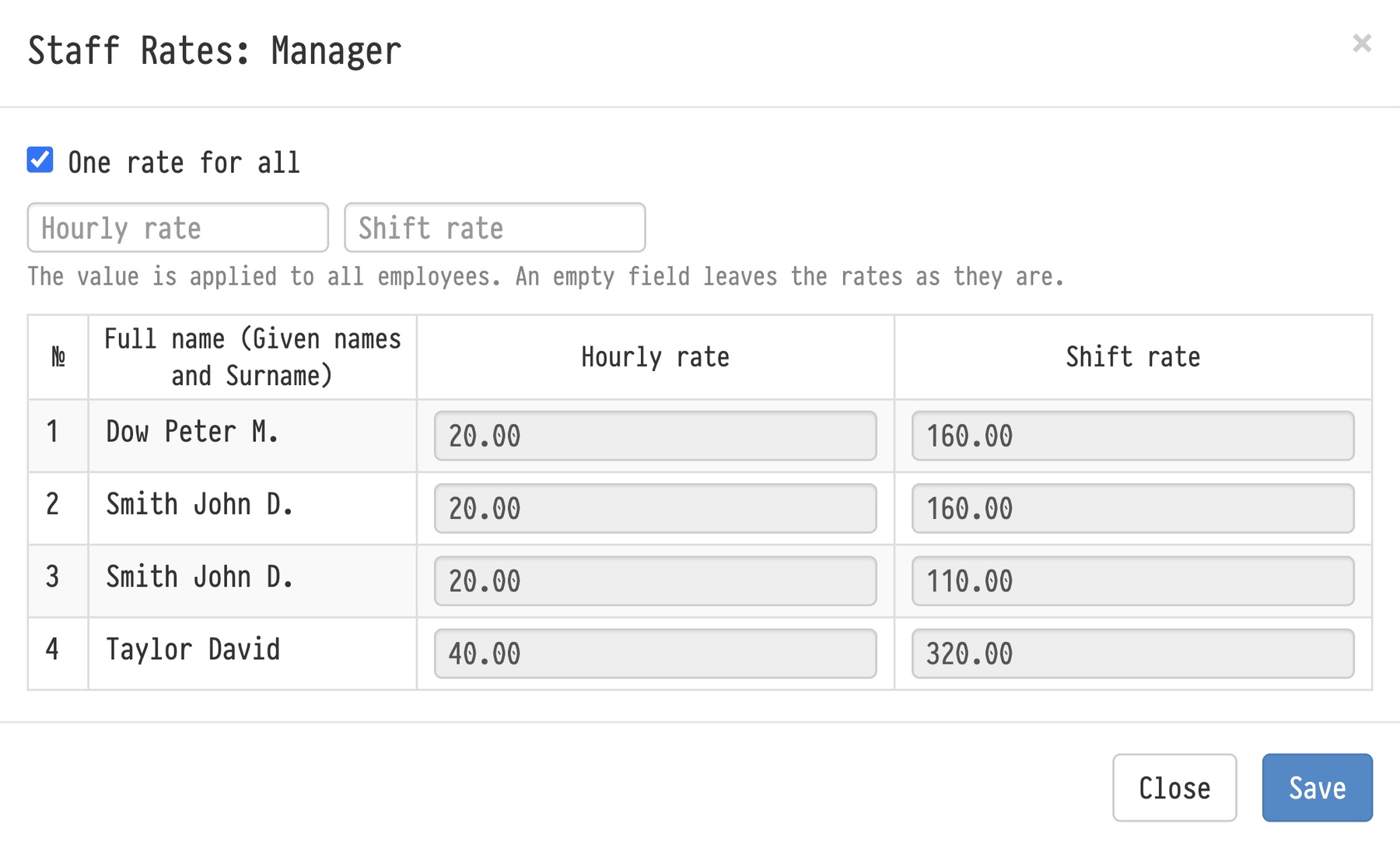
The dollar icon in a specialty row (tooltip “Bulk editing of employee rates”) opens the “Staff Rates” window with the hourly and shift rates of all employees who have this specialty. You can edit them one by one.
To give everyone the same rate, tick “One rate for all”, fill in the hourly and/or shift rate and click “Save”. The value is set for all employees with this specialty; an empty field keeps the rates as they are.
Please note. The new rate applies to future assignments; staff rates in existing projects do not change. The icon is visible to employees with full access to the “Employees” database.
No specialty
The service specialty “No specialty” is always first in the list. It can be renamed but not deleted, has no rates and is not assigned to employees. It is used when adding staff to a project: if the specialty does not matter or is not known yet, leave the field empty and the person is added with “No specialty”. See “Planning”.