Company profile link
Partners and clients often ask for your company details to issue a bill or prepare a contract. Instead of copying them into an e-mail or attaching a company card, send a link to the company profile. It opens a neat page with your company details and logo.
Each company in the "My companies" database has its own profile page.
How to copy the link
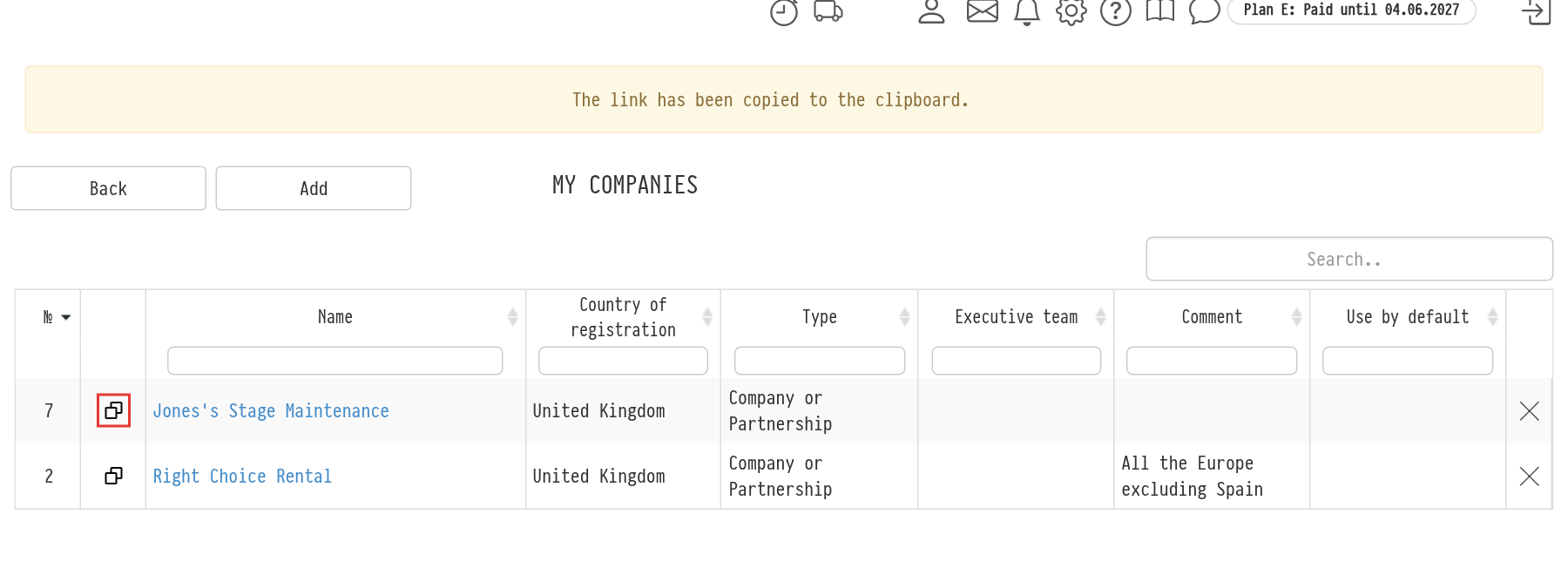
Open "Databases" → "My companies". In the list of companies, in the second column, each company with a profile page has a copy icon. Click it: the link is copied to the clipboard, and the message "The link has been copied to the clipboard." appears at the top. Now you can paste it into an e-mail or a messenger.
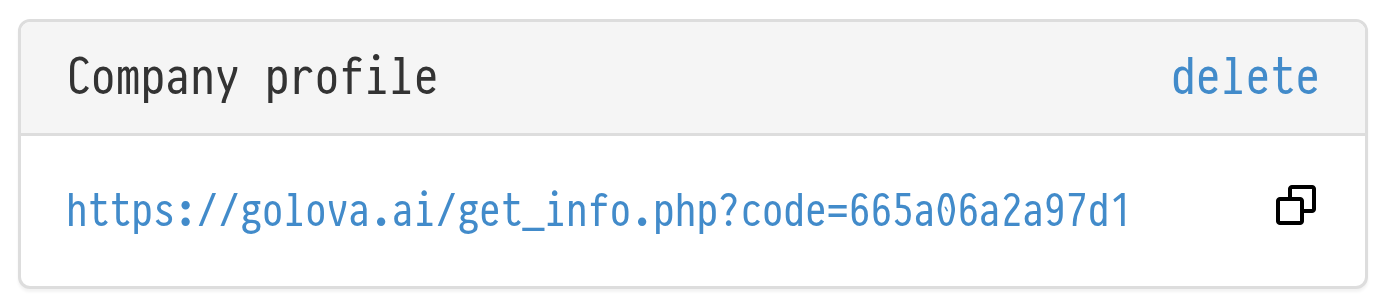
You can also copy the link from the company card: click the company name in the list and find the "Company profile" block. It shows the page address, so you can open the profile right away and see how the partner will see it, and a copy icon on the right.
What the page shows
The profile page shows the data filled in the company card: the name, the details for bills and contracts (for a Spanish company, for example, NIF/CIF, fiscal address and IBAN) and the logo. So before sending the link, check that the company card is complete and the logo is uploaded. How to fill in the card: Establishment of a company.
The link is permanent: if you later correct the details in the company card, you do not need to send the link again.
How to create or delete the link
When a company is created, the profile link appears automatically. If there is none, click "generate" in the header of the "Company profile" block in the company card.
To make the link stop working, click "delete" in the block header, for example if the link was sent to the wrong person. After that, you can click "generate" again: you get a new link, and the old one no longer works.
Please note. Creating and deleting the link and copying it from the list of companies is available to employees whose access template gives "full access" to the "My companies" database. More about rights: Access patterns.