Calendar
The "Calendar" subtab of the global settings defines how the calendar looks for the whole company: event colors, project status colors and common filters. Open the gear "Settings" → "System" → "Calendar".
Changes are saved at once; there is no "Save" button.
Personal settings (calendar version, what to show on the project tile, color scheme) are set by each employee in their personal account. See Appearance settings.
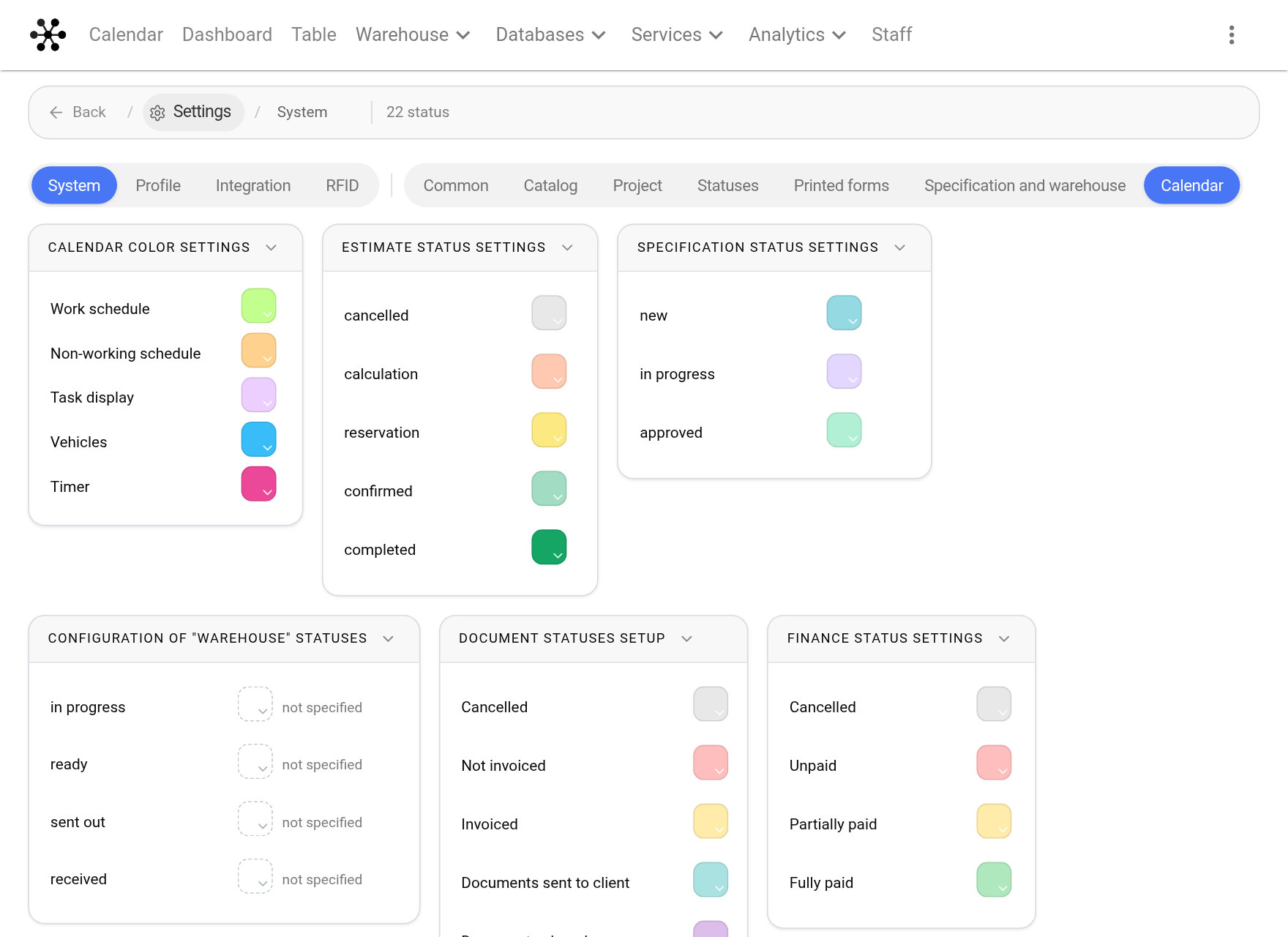
Calendar color settings
Colors of events that are not projects:
"Work schedule" and "Non-working schedule": the work schedule of employees;
"Task display": tasks;
"Vehicles": trips in company vehicles;
"Timer": working time records.
The "Vehicles" and "Timer" rows apply to Calendar 2.0.
Status colors
Below come the cards with project statuses, one for each kind: "Estimate status settings", "Specification status settings", "Configuration of "Warehouse" statuses", "Document statuses setup", "Finance status settings". Choose a color for each status. If no color is set, "not specified" is shown next to it.
These colors are used for projects in the calendar, depending on the color scheme the employee has chosen in the personal account, and for the status marks on the project tile. The "Specification" and "Warehouse" cards are visible if the warehouse is included in your service plan.
The statuses themselves (names, order, new statuses) are set up on the neighbouring "Statuses" subtab. See Statuses. More about colors: Setting up the "Estimate" statuses and Setting up the "Specification" statuses.
Filters setup
Common company filters: they are visible in the calendar to all or to selected employees. Personal filters are created by employees themselves in the calendar. The "+" button adds a filter; the icons in a row edit and delete it. The order is changed by dragging by the ⠿ icon. More: Setting up filters.