What's new?
This section has descriptions of all Golova versions. You can also get a short overview of what is new without leaving the system, in the "What's new" panel.
The "What's new" panel
Click the book icon in the system header and choose "What's new". A panel opens on the right with news grouped by version. If a version has a video overview, you can watch it right in the panel with the video button. A news card shows the category, date, title and description; a long text opens with "Read more", and the "More Details" link, if there is one, leads to the full description.
When a new version is released, the panel opens by itself the first time you log in. While there are unread news items, a dot is shown on the book icon.
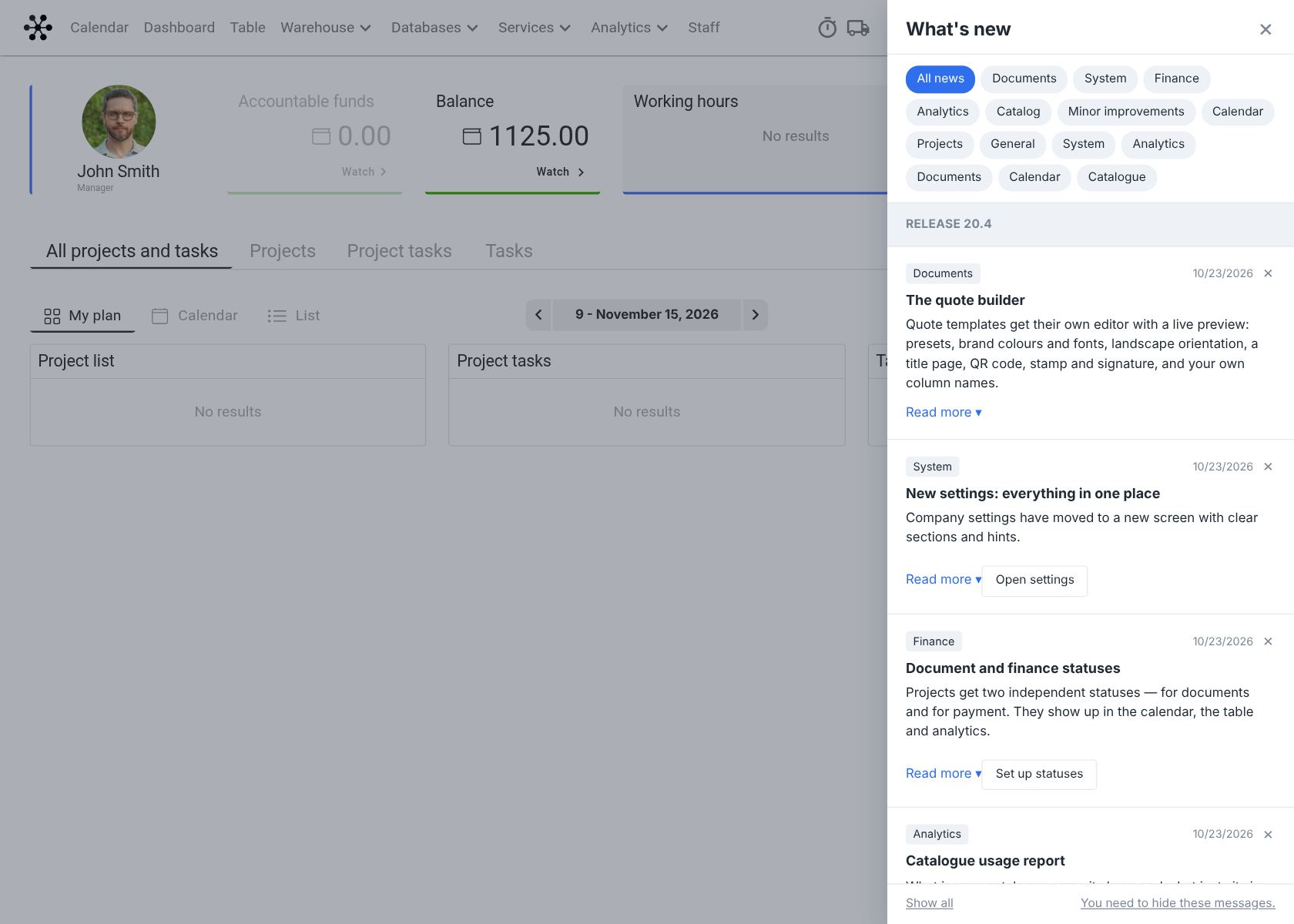
What you can do in the panel
Filter the news by category with the buttons at the top of the panel.
Hide a news item with the cross on its card: it disappears only for you.
See all news, including the ones you have read, with "Show all"; go back to the new ones with "Only new".
Turn off the news for yourself with the button at the bottom of the panel. To turn them back on, click "Enable news display".
Please note. If there is no "What's new" item in the menu, the feed has been turned off for the whole company. An administrator turns it on in the global settings: the "Settings" gear → "System" → "Common", the 'Feed "What's new"' switch. See System.