Equipment control
The "Equipment control" report helps you quickly check the availability of equipment on specific dates. It shows how many fixtures are busy, which projects they are in and whether the warehouse has enough of them.
Where to find it
In the top menu, open "Analytics" → "Equipment control". The item is visible to employees who have it open in their access template.
Report generation
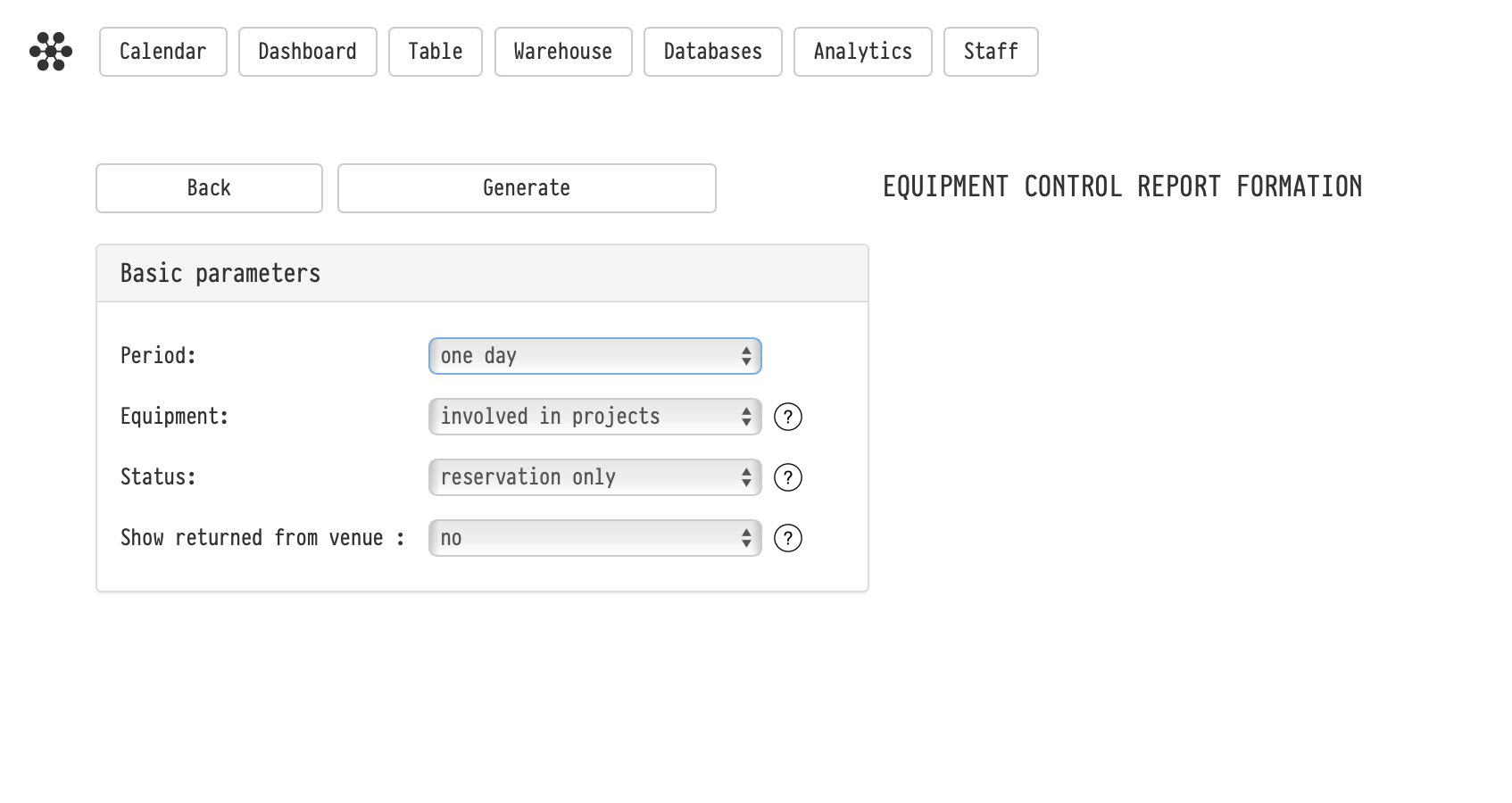
Before building the table, set the conditions in the "Basic parameters" block and click "Generate".
Period: one day, three days, one week, two weeks, one month or custom dates. Inside the report you can move through periods with the arrows.
Equipment: "involved in projects" shows only the equipment used in any project during the selected period; "selectively" lets you pick sections or entries in the catalog tree yourself.
Status: "reservation only" shows equipment only from projects whose current status has booking turned on; "all projects" shows projects in any status except cancelled.
Show returned from venue: "yes" shows all equipment, including what has already been received at the warehouse; "no" shows only what has not been sent out yet or is at the venue now.
How to read the table
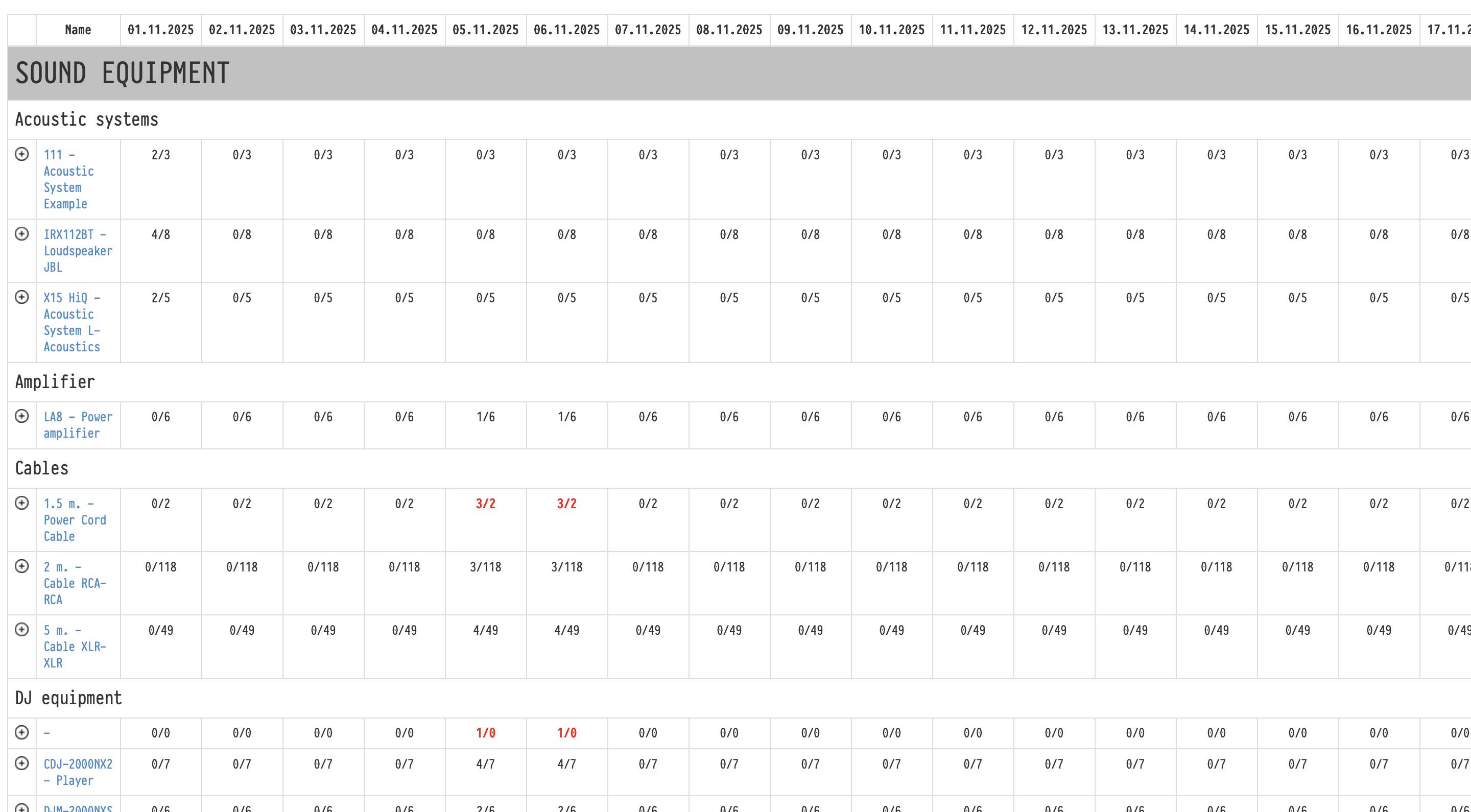
Columns are dates, rows are catalog entries grouped by section.
Usage is calculated in the same way as the shortage in a project: by booking periods, taking into account that equipment has time to move between projects. That is why a cell can show two or three numbers:
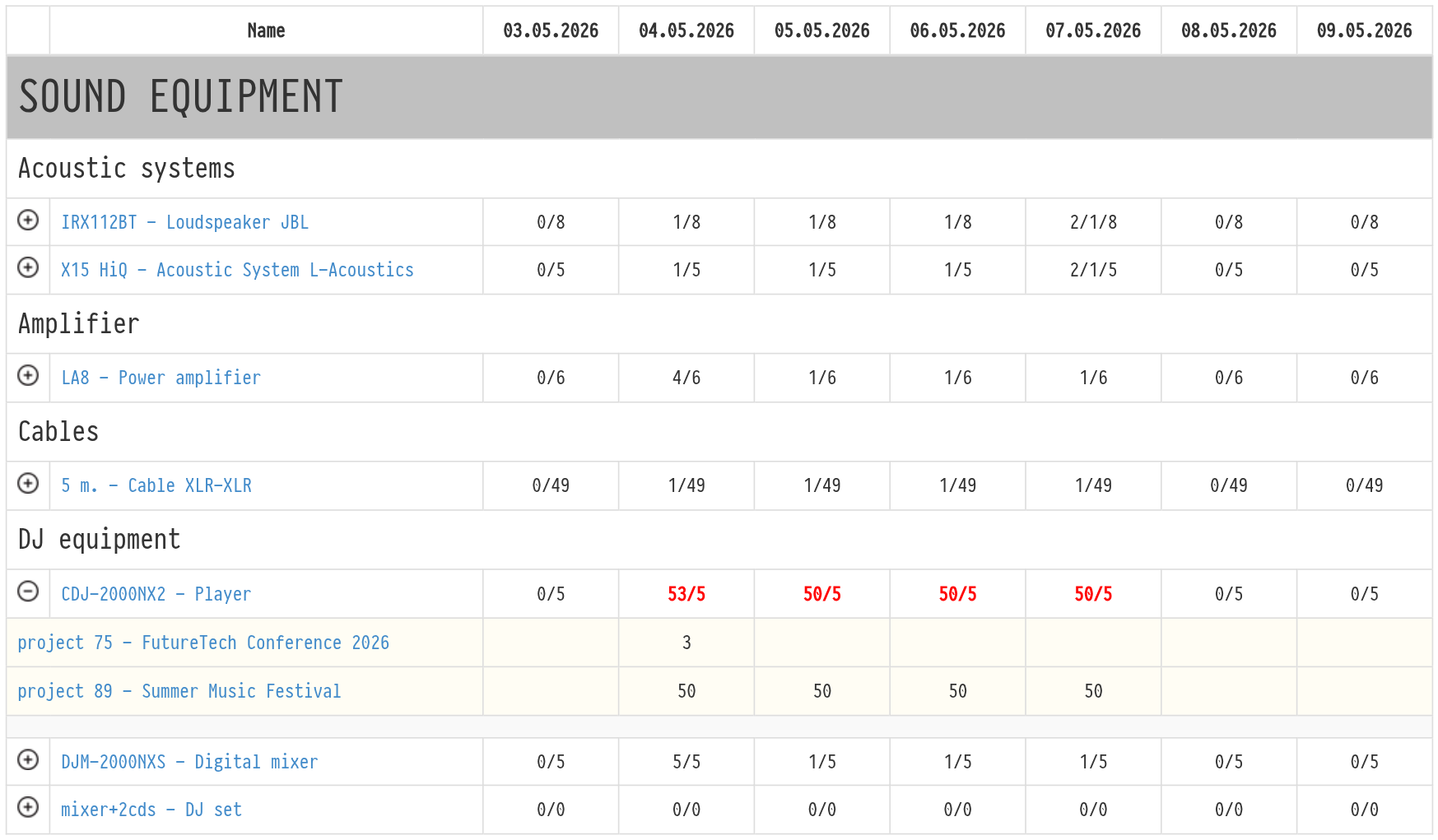
minimum / maximum / available, for example "3/5/4": at the busiest moment of the day you need 3 units, if all bookings ran at the same time you would need 5, and the warehouse has 4 working units. This format is used when the minimum and maximum are different;
required / available, for example "3/4": when the minimum and maximum are the same.
Subleased units are taken out of the need: you see only what has to leave your warehouse. Faulty units and units under repair are not counted as available. If the minimum required quantity is higher than what you have, the cell is highlighted in red: on this date there is not enough equipment in any case.
Hover over a number to see what it means.
Details and navigation
Projects. Click the icon to the left of the entry name: under the row you see the projects that use it on these dates, with the quantity for each day, and a usage chart. Project names open in a new tab.
Entry in the catalog. Click the equipment name: the entry opens in a new tab.
How the minimum and maximum required quantity are calculated: see Shortage.
Key concepts
equipment control, analytics, equipment usage, availability, booking, shortage, minimum required quantity, stock check