Information about the manager's work
The “Information about the manager's work” block is at the top of the “Specification” tab of the project. It shows the changes made on the “Estimate” tab (not on the “Specification” tab!): the date and time of each action, who performed it, the type of action and what exactly changed — for example, “Adding an entry” or “Changing the date and time”.
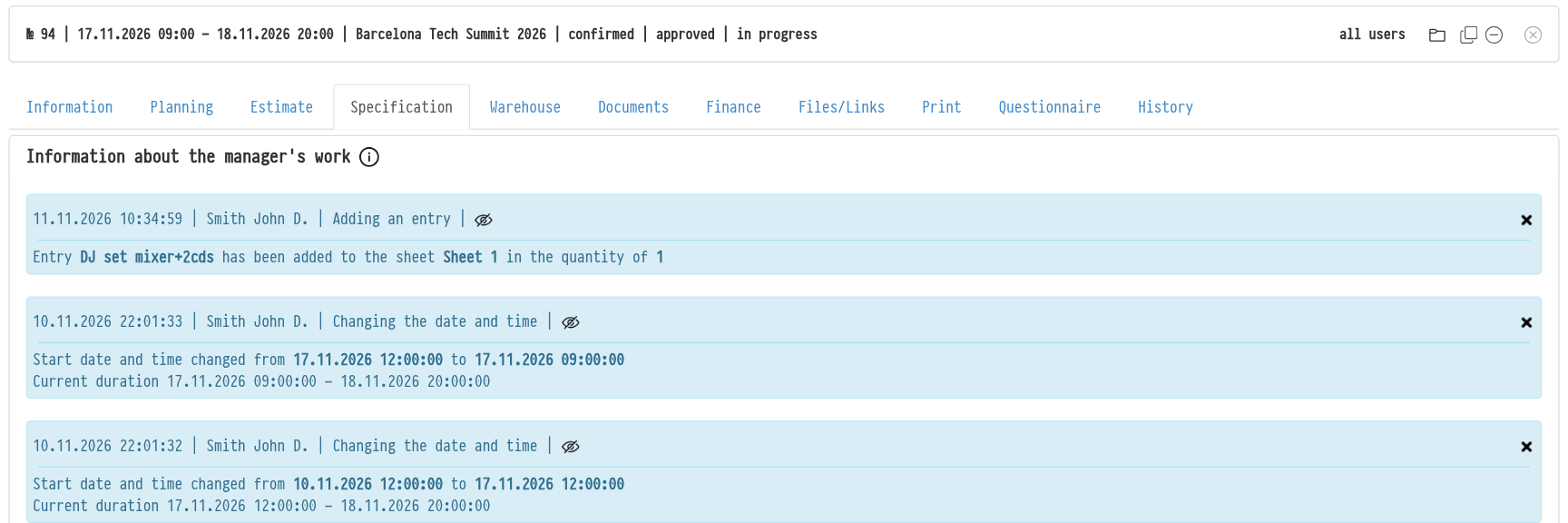
Please note. Depending on the status settings, from a certain point on, the changes made in the “Estimate” do not affect the content of the “Specification”. The “i” icon next to the block title reminds you of this: “Attention! The work has started in the Specification! From this point on, the changes that are made to the Estimate are not displayed in the Specification, and vice versa”. The block shows what has changed in the estimate, so you can see what you may need to move to the specification manually. Read more in the articles “Specification statuses” and “Actions with a specification sheet”.
Clicking the header of the “Information about the manager's work” block shows or hides the contents of the whole block.
Any single record, if necessary, can be hidden (icon  ) or deleted (icon
 ).

Below this block on the same tab are the “Shortage” and “Sublease” blocks: they show which equipment is short for this project and what is taken in sublease (“Need”, “Found”, “Remaining”).