Adding and editing Sites
You can add a new venue directly in the database or inside a project, with the "+" button next to the "Venue" field on the "Information" tab.
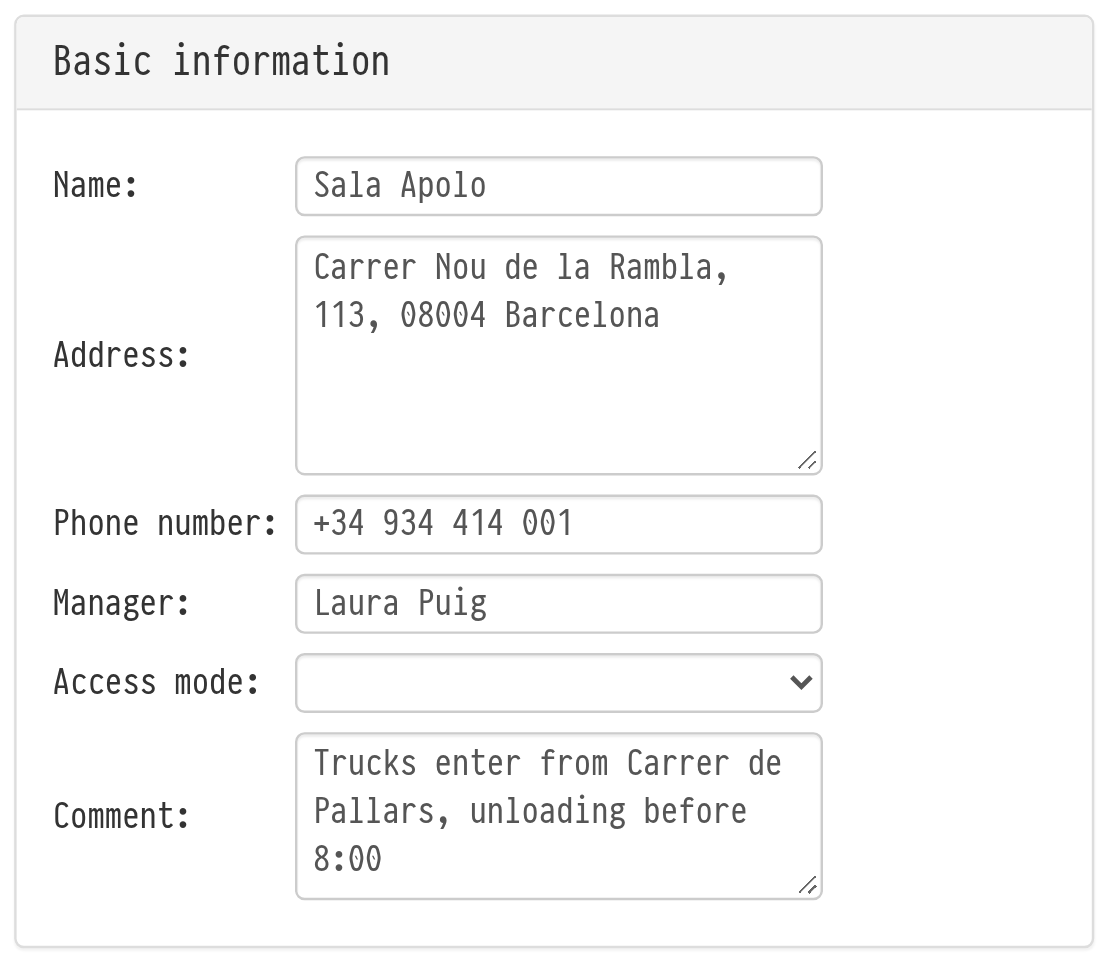
To create a venue in the database, click "Add" on the "Venues" database page. On the "Creating a venue" page, in the "Basic information" block, enter the name, address, phone number, manager and the access mode: "available" or "according to documents". If the venue is unreliable, select "Blacklist" and write a comment: when this venue is chosen in a project on the "Information" tab, the system shows a warning.
In the "Comment" field of the basic information, write everything useful for every crew that goes to this venue: how trucks get in, where to unload, when the venue opens, whom to ask on site. This comment is visible in every project at this venue: on the "Information" tab a comment icon appears next to the "Venue" field, and a click on it opens the comment in a separate window.
On the next page, the venue editing page, you can correct the data and add more contacts.
After filling in, click "Save": the venue appears in the general list. To edit a venue, click its name on the main page of the database.
Please note. If you change the comment in the venue card, it is updated right away in all projects at this venue, including past ones.