Adding entries to the Kit Type
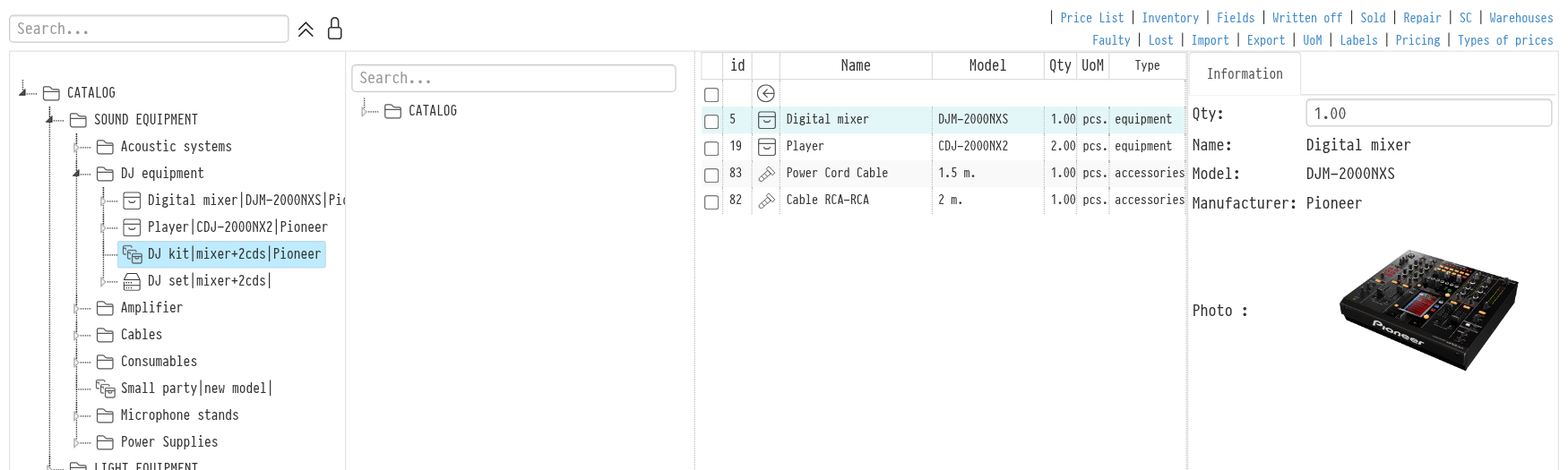
To build a kit, open it: click it once in the tree on the left or double-click it in the central area of the screen.
You will see a second tree with your catalog. From it you choose the equipment or services that go into the kit.
Next to each item there is a plus icon. Click it to add the equipment or service to the kit.
To remove an item from the kit, select it and click the trash icon in the upper left corner.
As you build the kit, the totals of prices and other parameters are shown at the bottom of the screen.
Card of an entry in the contents
Click an entry in the kit contents, and its card opens on the right: "Qty" in the kit, "Name", "Model", "Manufacturer" and "Photo". The photo is taken from the card of this entry in the catalog, so it is easy to check the kit contents at a glance. If the entry has no photo, there is no "Photo" row.
You can add another kit to a kit. However, if the kit you add contains one more kit, the action is cancelled.