Statuses: how they work
A status shows what stage a project, or a part of it, is at. Golova has five independent rows of statuses: estimate, specification, warehouse, documents and finance. You set up the lists of statuses yourself, and some statuses have flags: properties that allow or block actions in the project.
Where statuses are set up
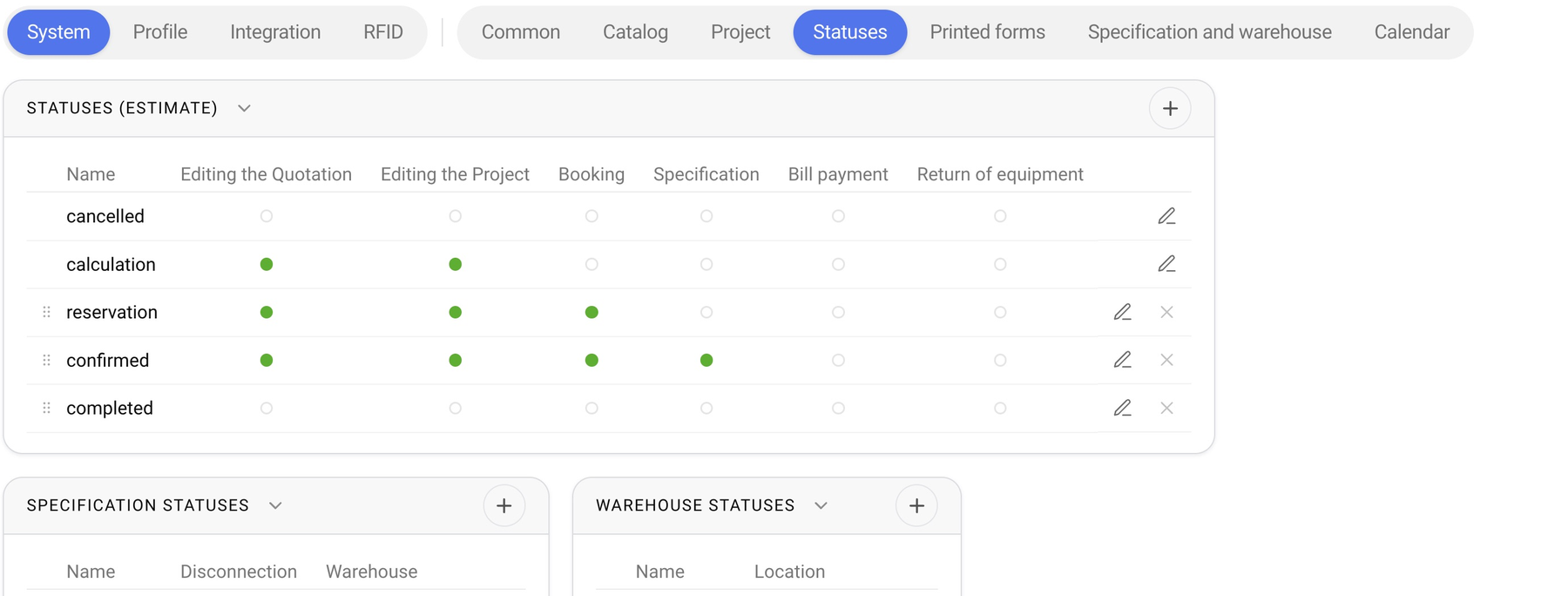
Open “Settings” → “System” → “Statuses”. The page has five blocks:
“Statuses (estimate)”: the stages of work on a project, from agreeing the proposal to completion;
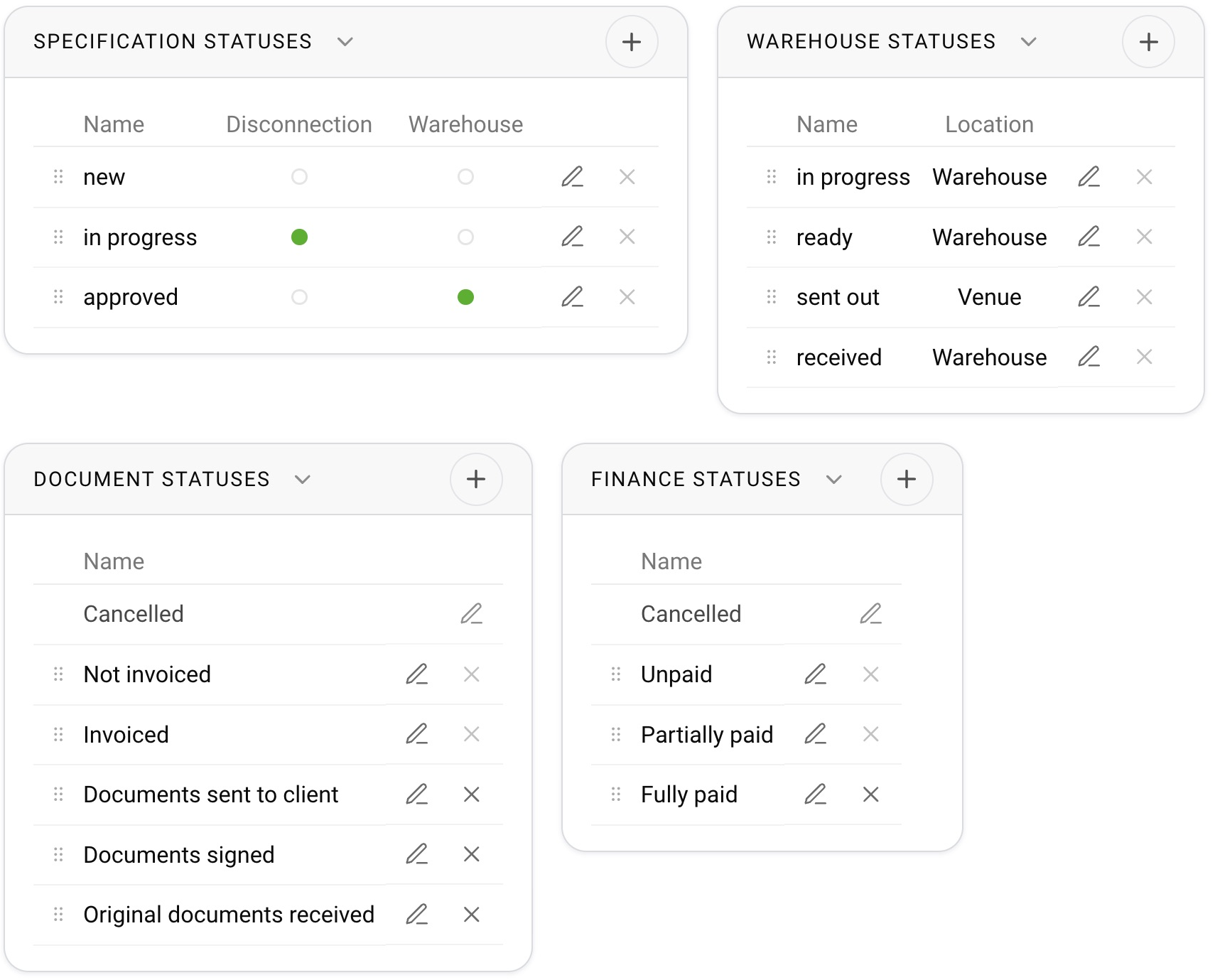
“Specification statuses”: the stages of preparing the specification by the technical director;
“Warehouse statuses”: the stages of equipment movement: picking, dispatch, receiving;
“Document statuses”: a manual mark showing which step the documents are at;
“Finance statuses”: a manual mark showing which step payment is at.
Each block is described in detail in the articles of this section.
What you can do with statuses
The “+” button in a block header adds a status.
The pencil next to a status renames it. In the estimate, specification and warehouse blocks, the flags are also set in this window.
Dragging by the handle on the left changes the order. The order matters: statuses go from top to bottom, and many flags work “from this status onwards”.
The cross deletes a status. You cannot delete a status that still has projects: first move those projects to another status.
The estimate list has a system status, “cancelled”. You can rename it, but you cannot delete or move it.
How the statuses are connected
Estimate is the main row. When a project reaches an estimate status with the “Specification” flag, it is automatically given the first specification status and the “Specification” tab opens.
Specification. When its status reaches a status with the “Warehouse” flag, the “Warehouse” tab becomes available in the project. A status with the “Disconnection” flag separates the specification from the estimate.
Warehouse. The warehouse statuses of the project items move separately from the specification status. They tell the system where the equipment is now: in the warehouse or at the venue.
Documents and finance are not connected to the other statuses: you set them manually.

Colors of statuses in the calendar
The colors of estimate, specification, document and finance statuses are chosen on the “Calendar” tab of the same global settings. See “Estimate statuses” for details.